




Introduction & What is Agentforce Grid?
- Definition: Agentforce Grid is an AI-native spreadsheet workspace built directly inside Salesforce. It lets users combine CRM data, AI prompts, actions, and autonomous agents into a single, familiar spreadsheet view to prototype, test, and scale automated workflows in bulk without writing code.
- Key FeaturesBulk execution: Process hundreds or thousands of rows independently in parallel with a single click.Visual debugging: Inspect individual cells to view raw API responses, safety scores, and agent session traces.No-code design: Build and validate complex multi-turn logic using a familiar spreadsheet layout rather than complex flows or Apex code.
Business Use Case & Value
Business Value Statement: This workflow automatically aggregates record snapshots and field modification histories (LeadHistory) for high-revenue leads, using AI to generate a 2-bullet executive briefing that helps sales reps track past prospect behavior and personalize outreach faster.
Step-by-Step Implementation Guide
1. Prerequisites
- Create a custom field on the Lead object: AI_Executive_Summary__c (Type: Rich Text Area).
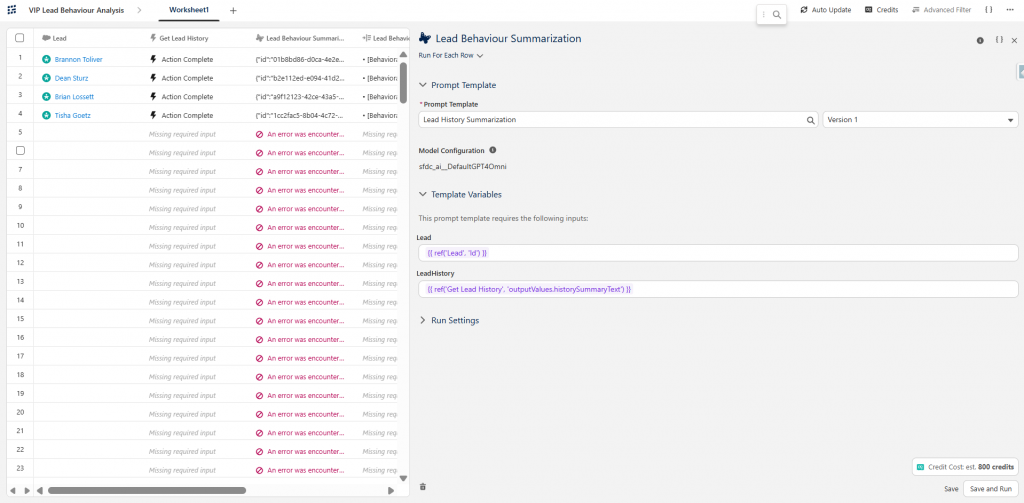
- Lead History Summarization: This is a prompt template that analyzes current lead data and field history to produce a concise two-bullet executive summary highlighting engagement velocity, behavioral trends, and a personalized next-step recommendation for the sales rep.
- Input 1: Lead Record Id
- Input 2: Formatted text of leads behaviour based on Lead History data.
Now we will be building a grid to figure out how well the prompt template works across different leads and their diverse behaviour.
2. Creating the Grid Workspace
- Search for Agentforce Grid in the App Launcher.
- Click Create Grid > Create from Scratch.
- Name the workspace: VIP Lead Behaviour Analysis.
3. Configuring the Grid Columns
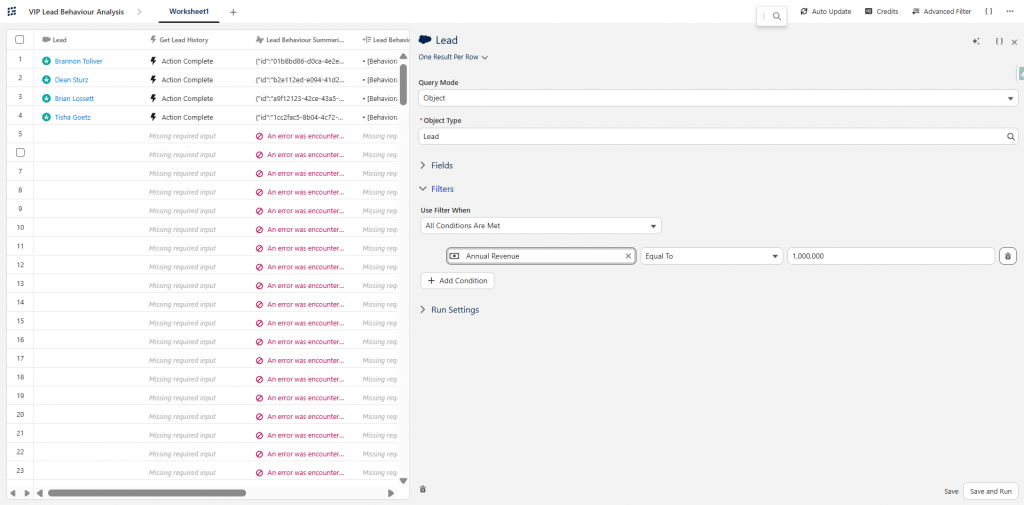
1.Target High-Value Leads: Salesforce Query.
- Add Column 1: Object = Lead, Filter: AnnualRevenue > 1M.
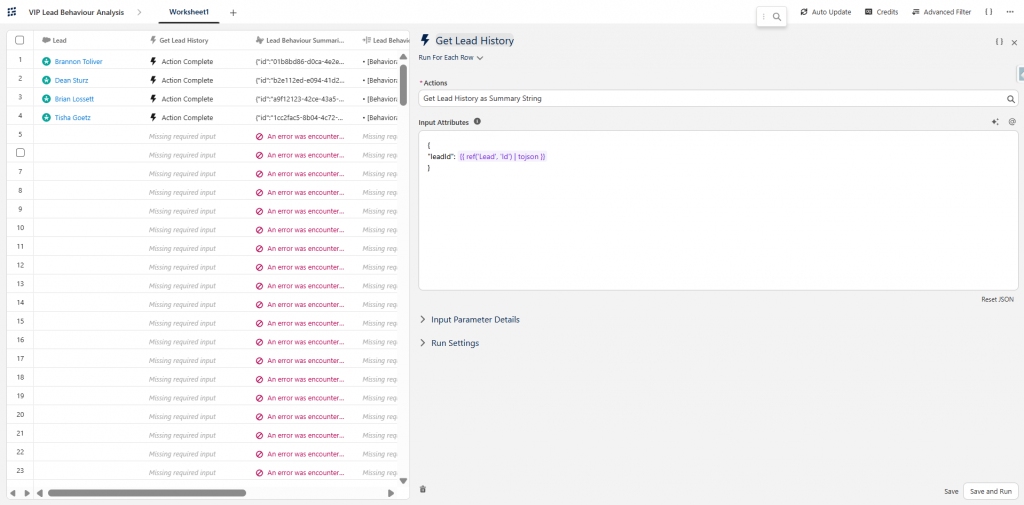
2.Retrieve Lead History: Apex Action.
- Add Column 2: Pass Lead.Id as input to an Invocable Apex Action that returns a concatenated string of LeadHistory (field modifications, status changes, and past behavior).
3.Run AI Summarization: Prompt Template (LLM).
- Add Column 3: Pass the Lead details and formatted history string into a Prompt Template configured to produce a concise 2-bullet point behavioral briefing.
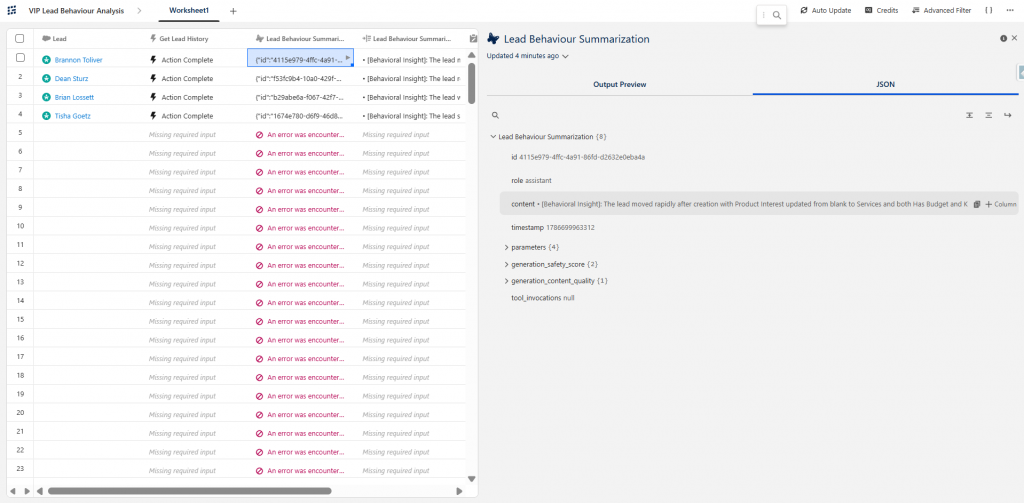
4.Preview Output: Data Display.
- Add Column 4: Display the prompt template’s generated AI summary response directly in the grid cell for review.
5.Write Back to CRM: Record Update.

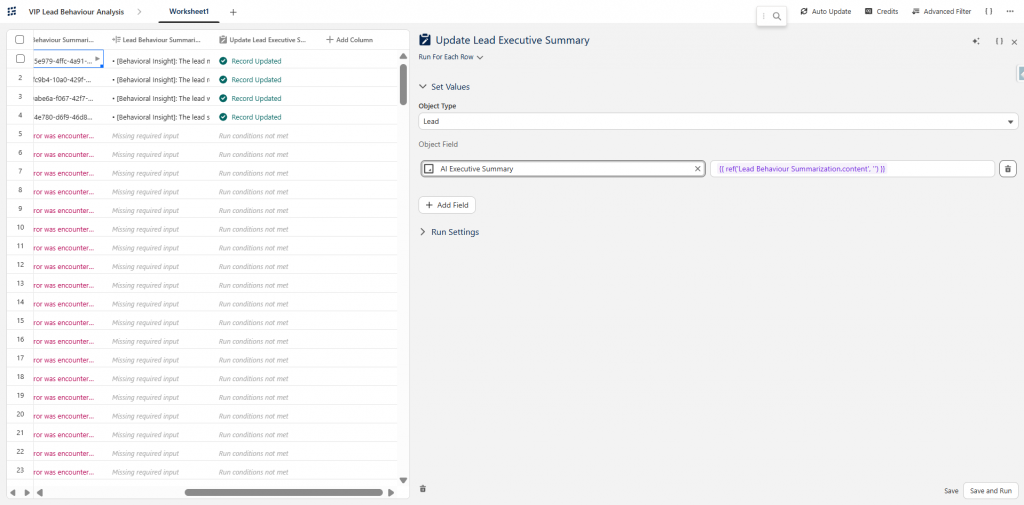
- Add Column 5: Map and update the summary response directly into the AI_Executive_Summary__c custom field on the Lead record.
Execution, Verification & Monitoring
1. Bulk Execution
- Select all rows in the grid and click Run Rows.
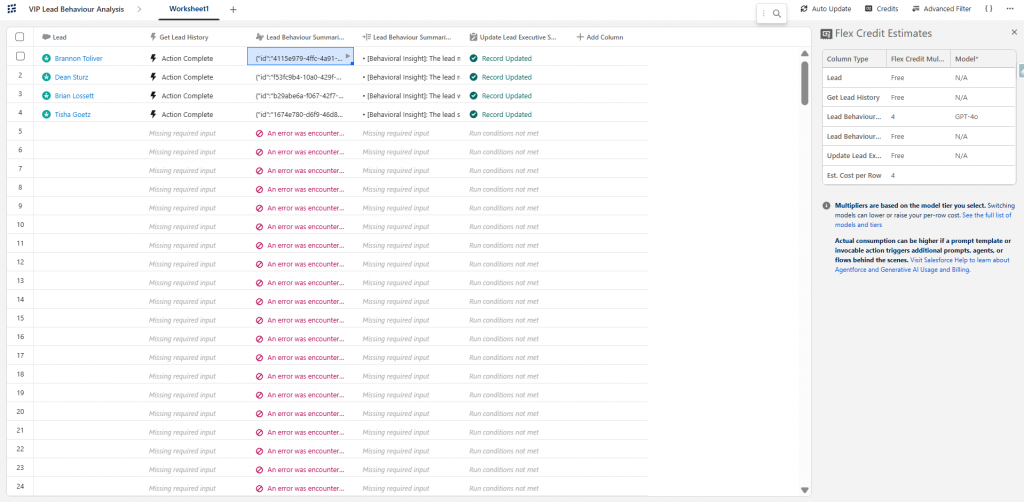
- Monitor the pipeline as columns execute sequentially until the last column displays the Record Updated status.
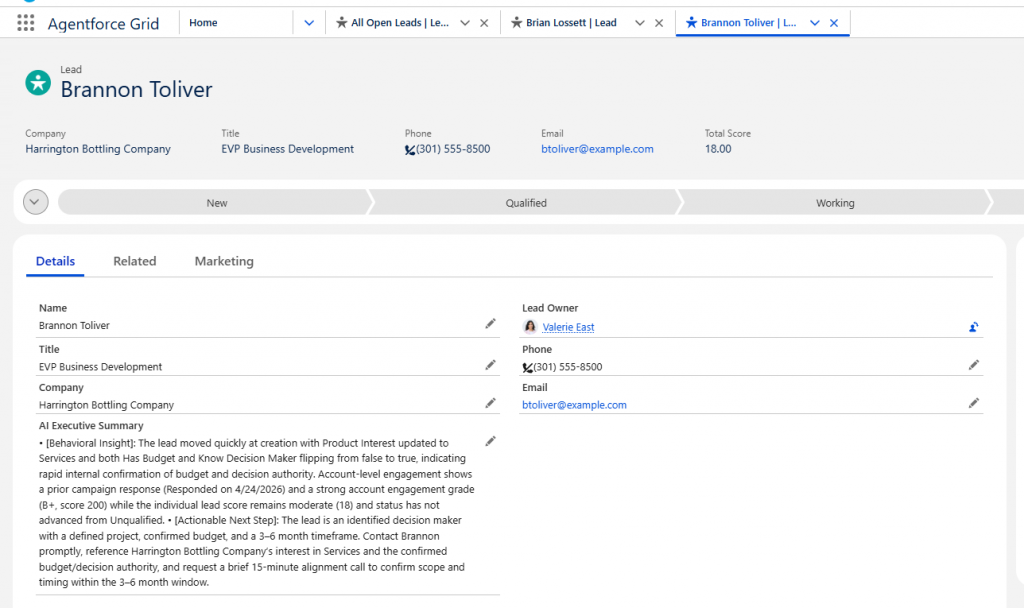
- Verify by navigating to any target Lead record in Salesforce to view the populated AI_Executive_Summary__c field.
2. Monitoring Credit Usage & Platform Features
- Top-Right Credit Score Indicator: Track overall credit consumption in real time at the top right of the screen while processing rows.
- Column-Level Credit Transparency: Inspect individual column metrics to see exactly how many credits were consumed by each action.
- Importing & Exporting Worksheets: Export your configured Grid as a CSV file for offline auditing or import existing worksheets to quickly bootstrap new bulk processing pipelines.
- Author: Uttam Prabhu