Every year, software companies leave Dreamforce with a list of things they want to build. And every year, most of those things stall — not because the ideas were bad, but because the Salesforce org they planned to build on wasn’t ready.
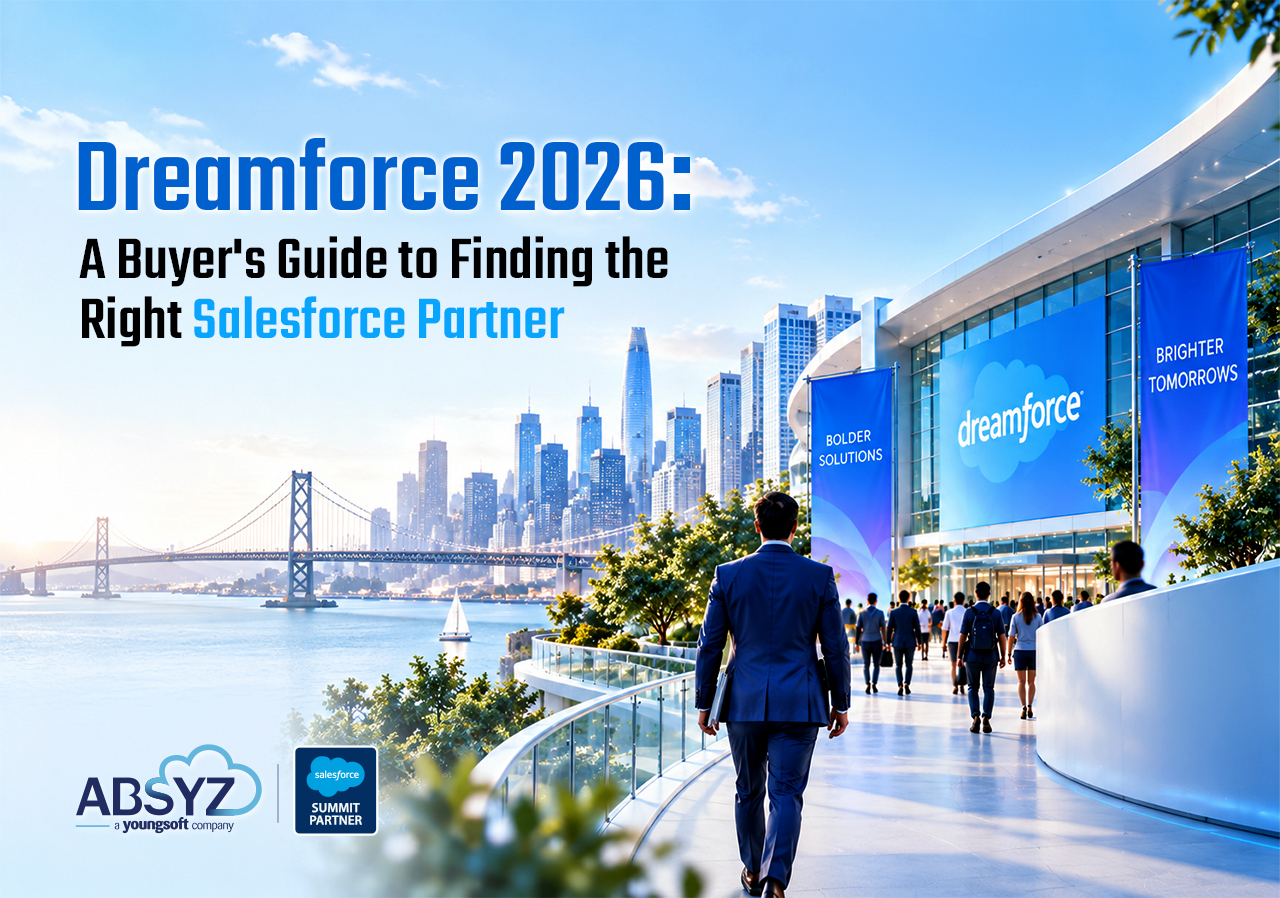
This year is different from previous ones. Dreamforce 2026 (September 15–17, Moscone Center, San Francisco) is centered entirely on what Salesforce calls the “Agentic Enterprise” — autonomous AI agents operating across your CRM, data, and collaboration platforms. The announcements will be significant: deeper Agentforce 360 capabilities, Agent Fabric for multi-vendor governance, Headless 360 and MCP tooling for API-first deployments, and Slack evolving further into the primary agent execution layer.
Here’s the uncomfortable truth: if your Salesforce org isn’t in good shape before those announcements land, you won’t be able to act on any of them.
Agentforce agents work directly on your CRM data. They trust whatever they find. A duplicated lead record, a stale account, a permission set that grants too much access — all of that gets automated at scale. Cleaning up after you’ve deployed an agent is significantly harder than cleaning up before.
So before September 15, here’s what your team should be looking at.
1. Data quality, the foundation on which everything else depends
This is the one most teams skip because it feels unglamorous. It’s also the one that kills Agentforce deployments faster than anything else.
What to check:
- Duplicate records. Run a duplicate report on Accounts, Contacts, and Leads. Industry benchmarks suggest that orgs with 3+ years of data typically have a 10–25% duplicate rate. If your Lead. The rating field is empty on more than 30% of records, so an agent can’t route properly and instead routes incorrectly.
- Field completion rates on critical objects. For software companies, the objects that matter most are usually Opportunity (Stage, Close Date, Amount), Lead (Source, Status, Company), and any custom objects tied to your product-led growth motion. Pull a report on null values across key fields. Anything below 70% completion is a problem for AI-driven workflows.
- Stale data. Accounts last modified more than 18 months ago with no activity. Contacts at email addresses that bounce. Opportunities sitting in early stages for over 90 days with no next step. These don’t just pollute reports — they actively mislead agents that use historical patterns to make decisions.
- Data model coherence. If you’ve added custom objects or fields over the years without a clear naming convention or documentation, now is the time to do an inventory. Agents operating on your data need a coherent model to navigate — ambiguous field names like “Status” (which one?) or duplicate purposes across objects create unpredictable behavior.
The honest benchmark: Most mid-market orgs score below 70 on Agentforce data readiness checks. That’s the floor most agents need to route correctly. If your data isn’t there yet, that’s your highest-priority item before Dreamforce.
2. Integration health, the connective tissue that breaks silently
Software companies tend to have the most complex Salesforce integration landscapes of any Salesforce customers. You’re connecting your product database, billing system, support tool, data warehouse, and often a dozen other services. Each connection is a potential failure point — and many of them were built years ago by someone who no longer works there.
What to check:
- Inventory every connected app. Go to Setup → Connected Apps → Manage Connected Apps. You’ll likely find integrations that nobody remembers setting up. For each one, is it still in use? When was it last active? Does it have more permissions than it needs?
- Review your integration architecture against what’s coming at DF26. Salesforce launched Headless 360 at TDX 2026 — 60+ MCP tools that let agents operate without a browser, driven by CLI and API. If you’re running point-to-point integrations that bypass the Salesforce API layer, they may conflict with how MCP tooling routes actions. This is particularly relevant for software companies with developer-built custom integrations.
- Check for automation conflicts. This is one of the most commonly surfaced issues in Salesforce org audits: Flows, Apex triggers, and validation rules all firing on the same record for the same purpose. It’s the result of years of incremental building. An Agentforce agent can’t operate cleanly on top of conflicting automation; it will encounter unexpected errors or, worse, silently fail without any indication of why.
- MuleSoft or middleware review. If you’re using MuleSoft, Boomi, or similar middleware, review what flows are active, which ones are monitored, and what happens when they fail. Integration failures that were previously visible as user-facing errors become harder to diagnose when an agent is the entity making the call.
The practical outcome of this check: is that you’re looking for two things: integrations that can be retired (reducing attack surface and complexity) and integrations that need to be rebuilt before you can adopt new platform capabilities. Identify both lists before Dreamforce, even if you don’t action them until after.
3. Permissions and governance, the area most orgs fail
This is where the typical audit finds the most risk, and where the stakes are highest when you’re planning to deploy AI agents.
Agentforce agents operate with user-level permissions — they inherit the access granted by their associated user or permission set. In an org where permissions have been granted ad hoc over the years (“just give them admin access, we’ll fix it later”), that’s a serious security problem at scale.
What to check:
- Profile and permission set sprawl. How many profiles do you have? How many permission sets? In a well-governed org, you should be able to describe what each one is for in a sentence. If you can’t, consolidation is overdue. The benchmark from org audits across mid-market companies: most have 2–3× more profiles than they need, with overlapping and sometimes contradictory permissions.
- Over-permissioned integration users. Every connected app or integration typically runs as a dedicated user. Check whether those users have System Administrator or equivalent access; most do, because it was the easiest way to set them up. Each one is a potential attack vector. Scope them down to the minimum permissions required.
- Guest user access. If you have Experience Cloud sites or public-facing Salesforce components, your Guest User profile deserves a close look. Misconfigured guest access is one of the most common security issues in Salesforce orgs and one of the easiest to miss.
- Least-privilege principle for Agentforce. Before you deploy any agent, define explicitly which objects and fields it should be able to read and write. Build a dedicated permission set for it. Apply least-privilege: an agent that handles lead routing doesn’t need access to financial data. This isn’t just security hygiene; it also makes agents more predictable because they operate in a smaller, better-defined scope.
The governance question to answer now: Do you have a documented process for granting Salesforce access, including who approves it, what options exist, and how it gets reviewed? If the answer is no, that’s the governance gap to close before you hand agents write access to your CRM.
4. Automation hygiene, the hidden complexity that compounds
Most software companies have Salesforce orgs that were built iteratively over several years. That means the automation layer — Flows, Process Builders, Workflow Rules, Apex triggers — has accumulated logic that overlaps, conflicts, or no longer reflects how the business actually works.
What to check:
- Migrate any remaining Process Builder or Workflow Rules to Flow. Salesforce has been signaling the deprecation of these tools for years. At this point, running them alongside Flows creates maintenance overhead and unpredictable execution order. DF26 will likely signal further timelines — get ahead of it now.
- Audit your Flows for efficiency. Look for: Flows that query the database in a loop (a common performance issue), Flows that duplicate logic from other Flows, and Flows that were built for a process that’s since changed. The goal isn’t to rebuild everything; it’s to identify what’s creating risk.
- Check for Apex triggers that conflict with Flows. If you have both a trigger and a Flow operating on the same object for related purposes, you need to understand the execution order and whether they’re stepping on each other. This is especially common in orgs that brought in external developers for custom work at different points in time.
- Document what your automation does. This sounds basic, but in most mid-market orgs, the documentation doesn’t exist or is severely out of date. An agent can’t operate cleanly on top of a black box. Before you deploy Agentforce, you need to be able to describe what happens when a Lead is created, when an Opportunity moves to Closed Won, and when a Case is escalated, not at a high level, but step by step.
5. Your Agentforce readiness, the forward-looking question
The four areas above are hygiene. This one is a strategy.
Before Dreamforce drops new Agentforce announcements that expand your wishlist, lock in one specific use case you want to pilot by Q4 2026. One. Not five.
For software companies, the highest-value Agentforce starting points are typically:
- Sales assist for PLG motions. If you have product-qualified lead (PQL) data in your product database, an Agentforce sales agent can surface those signals within your reps’ Salesforce workflows —”this trial user hit 3 activation events, here’s the recommended next step”—without manual data pulls or a RevOps analyst to bridge the gap.
- Agentforce Contact Center for L1 support. If your support team handles high volumes of repetitive queries (password resets, billing questions, basic troubleshooting), an agent can handle these autonomously, summarize case history for human escalation, and close tickets without rep involvement. This is the fastest ROI Agentforce deployment for software companies.
- Internal admin self-service via Slack. If your sales ops or RevOps team constantly asks the same Salesforce questions (“show me all enterprise deals closing this month,” “what’s the current pipeline for the APAC segment”), an internal Agentforce agent connected to Slack can answer these without a Salesforce login. Slack has seen 300% agent growth since early 2026 — this use case is mature and deployable now.
The question to answer before September 15: Which one of these maps is your biggest operational bottleneck right now? Pick it. Run a data readiness check on the specific objects it would touch. And decide now whether you’re building it in-house or with a partner, because the week after Dreamforce, demand for Agentforce implementation partners spikes sharply and availability shrinks fast.
The pre-Dreamforce checklist, run this in the next 30 days
Use this as a working document for your team:
Data quality
- Duplicate report run on Accounts, Contacts, Leads
- Field completion rate checked on critical Opportunity, Lead, and Case fields
- Stale records (18+ months, no activity) identified and flagged for cleanup
- Custom object and field naming reviewed for coherence
Integration health
- Connected Apps inventory completed, unused connections documented for removal.
- Integration user permissions reviewed and scoped down
- Automation conflicts (Flow + Apex on the same object) identified
- Middleware/MuleSoft active flows reviewed and monitored
Permissions and governance
- Profile and permission set audit completed
- Guest User profile reviewed (if using Experience Cloud)
- Over-permissioned integration users identified
- Agentforce permission set structure planned (least-privilege)
Automation hygiene
- Process Builder / Workflow Rules identified for migration to Flow
- Duplicate or conflicting Flows identified
- Core automation documented (what happens on Lead create, Opp close, Case escalate)
Agentforce readiness
- One specific Agentforce use case selected for Q4 2026 pilot
- Data readiness for that use case assessed
- Build vs. partner decision made
- Salesforce admin has completed Agentforce Trailhead fundamentals
What happens if you skip this
Dreamforce announcements will land on September 15. Your leadership team will come back energized. Someone will say, ” We need to get on Agentforce immediately.” And then your team will spend the next three months discovering why you can’t, while the organizations that did this audit in August are already running pilots.
The orgs that get the most out of Dreamforce are never the ones who attend and react. They’re the ones who do the work before the event so that they can move the week after.
Need help running this audit before Dreamforce?
We work with software companies to assess and clean up their Salesforce orgs, specifically to get them ready to act on announcements from events like Dreamforce, not six months later.
If you want a 30-minute pre-Dreamforce readiness call to walk through where your org stands and what to prioritize, book one here. No pitch, just an honest assessment of what’s ready and what isn’t.
FAQs
Q1: What should I check in my Salesforce org before Dreamforce?
Before Dreamforce 2026, software companies running Salesforce should audit five areas: data quality (duplicate records, field completion rates, stale data), integration health (connected apps, automation conflicts, middleware), permissions and governance (profile sprawl, over-permissioned integration users, guest access), automation hygiene (Process Builder migrations, conflicting Flows and Apex triggers), and Agentforce readiness (one specific use case identified, data readiness for that use case confirmed, build-vs-partner decision made). The goal is to be ready to act on Dreamforce announcements the week after the event — not three months later when you discover your org isn’t ready.
Q2: How do I know if my Salesforce org is ready for Agentforce?
Four dimensions determine Agentforce readiness. First, data quality — Agentforce agents trust whatever data they find in your org, so duplicate records, empty fields, and stale accounts don’t just create reporting problems; they create agents that automate the wrong thing at scale. The benchmark most orgs need to hit is 70% field completion on the objects the agent will touch. Second, process clarity — the workflow the agent will execute needs to be documented and consistent, not ambiguous or dependent on human judgment at every step. Third, permission hygiene — agents operate with user-level permissions, so over-permissioned orgs create a serious security risk when an agent inherits admin-level access. Fourth, automation overlap — if Flows, Apex triggers, and validation rules are already conflicting on the same records, an agent operating on top of that conflict will behave unpredictably. Run checks across all four areas before deploying any Agentforce pilot.
Q3: What is a Salesforce org health check?
A Salesforce org health check is a structured audit of your Salesforce environment covering security, data quality, automation, integrations, performance, and governance. It identifies technical debt, permission risks, duplicate or conflicting automation, unused licenses, and gaps in data quality — giving your team a prioritized list of what to fix and in what order. In 2026, a health check should also include an Agentforce readiness layer: reviewing which objects and fields are AI-ready, whether permission sets are scoped correctly for agent access, and whether your automation layer is clean enough for an agent to operate on top of. A health check is typically conducted annually, before major platform changes or any AI deployment. The admin who built the org is rarely the best person to run it — an independent review, whether an internal peer or an external partner, consistently surfaces more.
Q4: How long does a Salesforce audit take?
The timeline depends on org complexity, but for a mid-market software company (50–500 employees, 2–5 years on Salesforce, moderate customization), a practical breakdown looks like this: a data quality audit takes 2–4 hours using native Salesforce reports and duplicate rules; a connected apps and integration inventory takes 1–2 hours; a permissions review takes 3–6 hours depending on how many profiles and permission sets exist; an automation audit takes 4–8 hours if documentation doesn’t exist and someone needs to trace what each Flow and trigger does. In total, a thorough internal audit takes 2–3 focused days for a Salesforce admin who knows the org well. An external partner running the same audit typically delivers results faster — in 1–2 days — because they follow a structured methodology and aren’t context-switching with day-to-day admin work. Either way, with Dreamforce on September 15, starting now gives you enough time to both audit and act on the highest-priority findings before the event.