The navigation and toast messages in the lightning web component of the Visualforce page are not working as a result of a lightning out library. If you have ever come across such an issue, in this blog you will be able to find out what the underlying causes are and get an idea of how the Visualforce page’s lightning web component’s navigation and toast messages can be used in the right approach.
Let us start the process!
Step:1
Create a lightning web component in Visual Studio and specify the name of the component as: lwcInsideVfPage.html
Example:
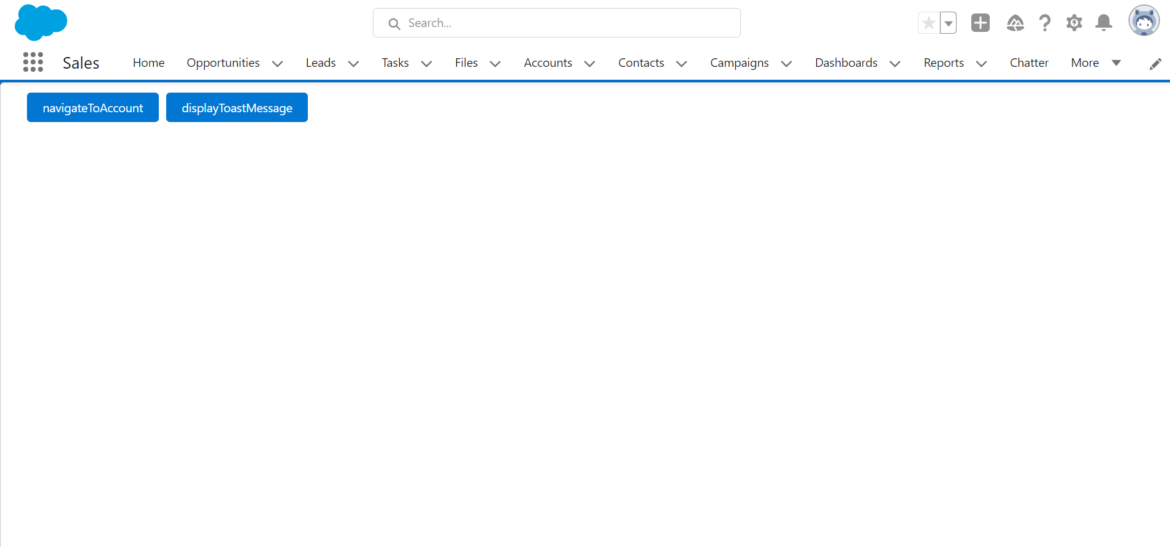
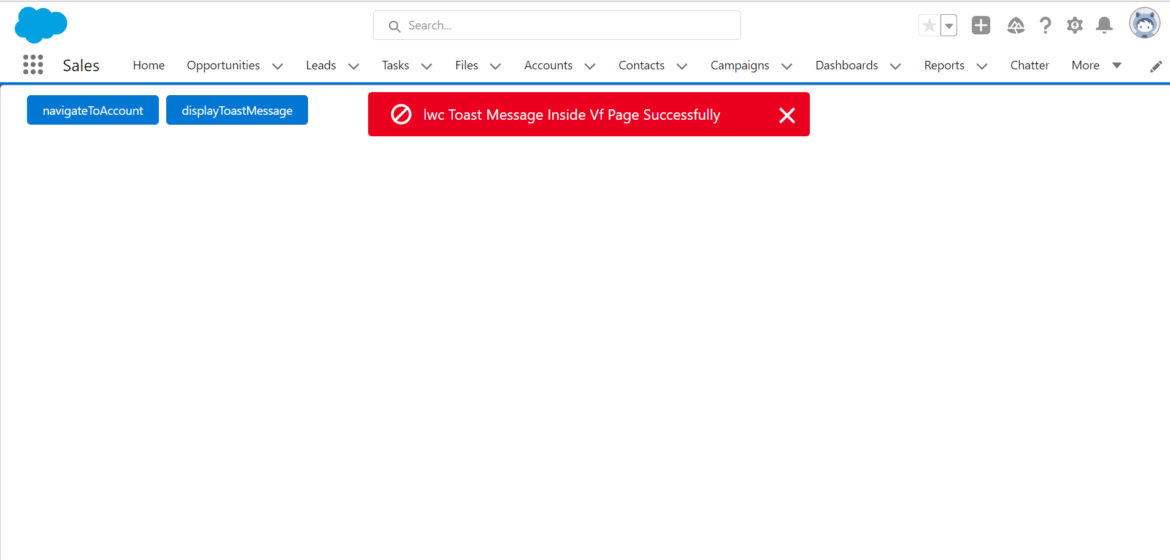
Here I created two lightning buttons, which are navigateToAccount and displayToastMessage. When we click on the navigateToAccount button, it will navigate to the Account Object and when we click on the displayToastMessage button, it will display the Toast message.
lwcInsideVfPage.html
<template>
<lightning-button variant=”brand” label=”navigate ToAccount”
onclick={handleclick}
class=”slds-m-left_x-small”>
</lightning-button>
<lightning-button variant=”brand” label=”displayToastMessage”
onclick={displayToastHandle}
class=”slds-m-left_x-small”>
</lightning-button>
</template>
lwcInsideVfPage.js
Here I am using the @api decorator to access the property from the visualforce page to LWC.
import { LightningElement , api} from “lwc’;
export default class LwcInsideVfpage extends LightningElement {
@api navigateToList;
@api toast;
handleclick(){
// here ‘/001’ is the key prefix of Account Object
this.navigateToList(‘/001’);
}
displayToastHandle(){
this.toast();
}
lwcInsideVfPage.js.meta-xml
<?xml version=”1.0″ encoding=”UTF-8″?>
<Lightning ComponentBundle
xmlns=”http://soap.sforce.com/2006/04/metadata”>
<apiVersion>55.0</apiVersion>
<isExposed>true</isExposed>
<targets>
<target>lightning_AppPage</target>
<target>lightning_RecordPage</target>
‘ <target>lightning_HomePage</target>
</targets>
</LightningcomponentBundle>
Step 2:
In step 2 create a new lightning application in aura with the name: lightningApplication.App.
Here in the aura dependency resource, you have to specify the name of the lightning web component.
<aura: application extends=”ltng:outApp” access=”Global” >
<aura: dependency resource=”c:lwcInsideVfPage”/>
</aura:application>
Step:3
In step 3 create a visualforce Page .In visualForce page I declare standardController =”Account” so ,you have created a list view button in Account object only. If given another object name, it creates a list view button in that object only.
myVfPage.Page
<apex: page showHeader=”false” sidebar=”false” standardController=”Account”
recordsetVar=”accs”>
<apex: includelightning />
<div id=”lightning” />
<script>
$Lightning.use(“c:lightningApplication”, function() {
$Lightning.createComponent(“c:lwcInsideVfPage”,
“navigateToList” : navigateToList,
“toast” :showToast
“lightning”,
function(cmp) {
console.log(‘Component Loaded’);
});
});
function navigateToList(url) {
if(typeof sforce != ‘undefined’ && sforce && sforce.one) {
sforce.one.navigateTOURL (url);
} else
{
window.location.href = url;
}
function showToast() {
sforce.one.showToast({
“message”: “lwc Toast Message Inside Vf Page Successfully”,
“type”: “error”
});
</script>
</apex: page>
OUTPUT:
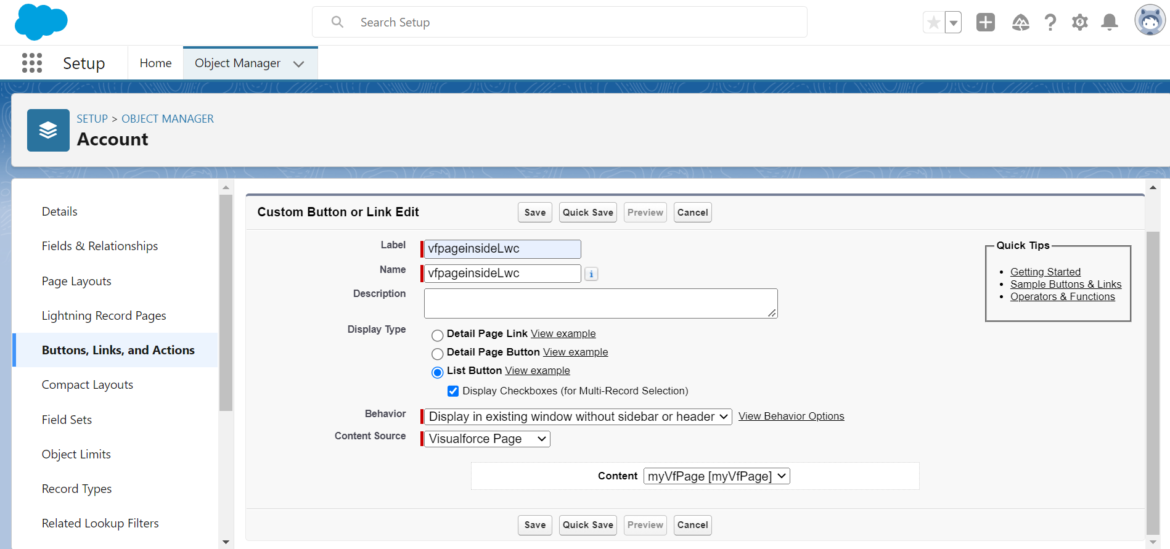
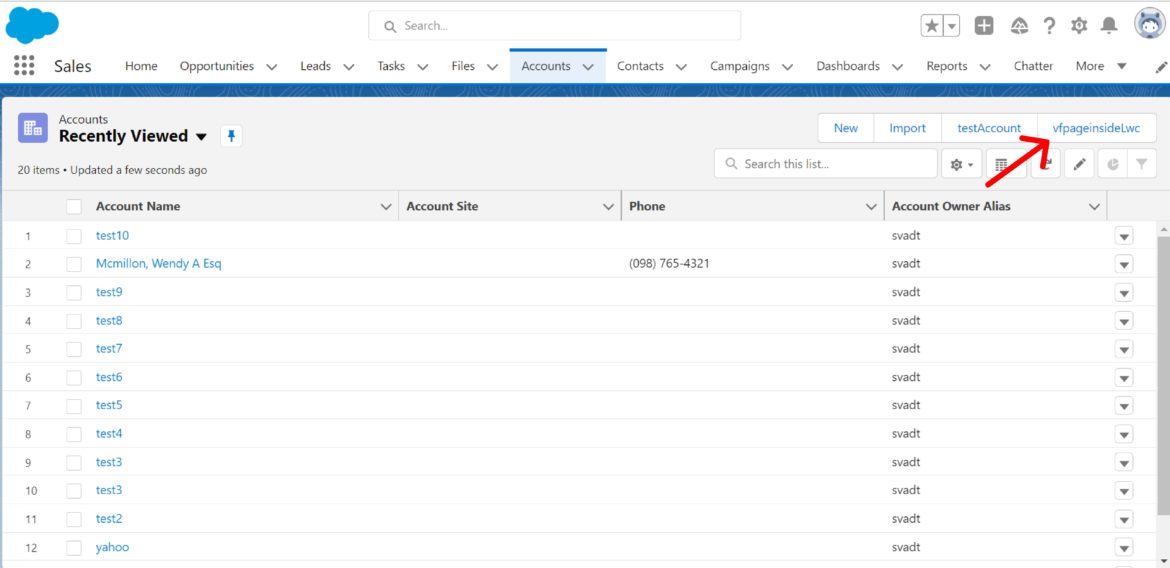
➤ First, create a list view button on the account object to see the output.
➤ Go to Object Manager and search for the account object.
➤ Click on buttons, links, and actions. Then you will see the New Button or Link at the top right.
➤ Click it.