

Leveraging Postman for Journey Builder API Entry Events in Marketing Cloud

postman for journey builder api entry events in marketing cloud

Introduction:

In the dynamic landscape of Salesforce Marketing Cloud, triggering journeys through API calls has become a powerful mechanism for automating customer interactions. This blog post will guide you through the process of using the Journey Builder API Entry Event to initiate journeys, through tools like Postman.

Creating Data Extensions:

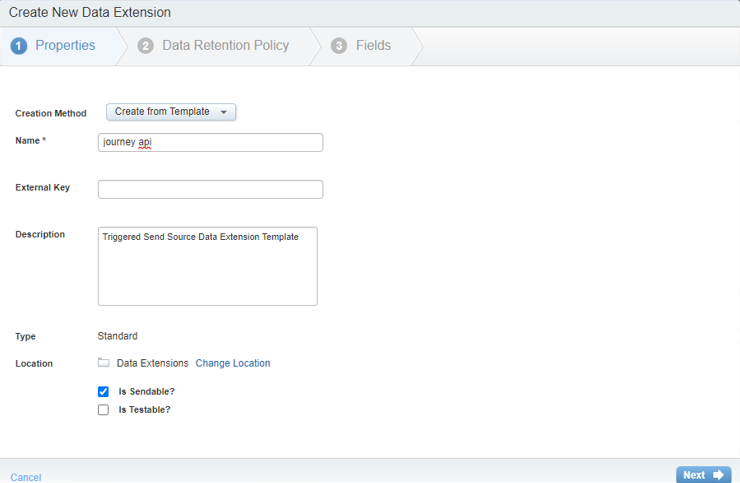
The first step is to create a data extension to store the information you want to use in your journey. In the example, a data extension named “Journey API” is created with fields like Subscriber Key, Email, Name, and Other.

creating data extensions​

Building The Journey:

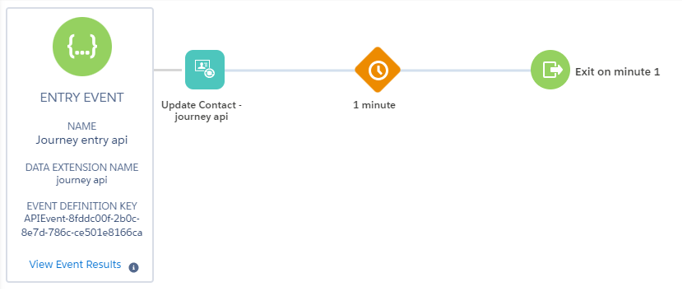
  • Launch Journey Builder and create a new multi-step journey.
  • Add an API event as the entry source by dragging and dropping the entry event tile.
  • Create a new event definition, specifying the data extension to receive the payload.
  • Configure the journey settings, such as re-entry options.
  • An “Update Contact” activity is added to the journey to modify the “Other” field for each subscriber as they enter the journey.
Journey builder

Creating a Demo key:

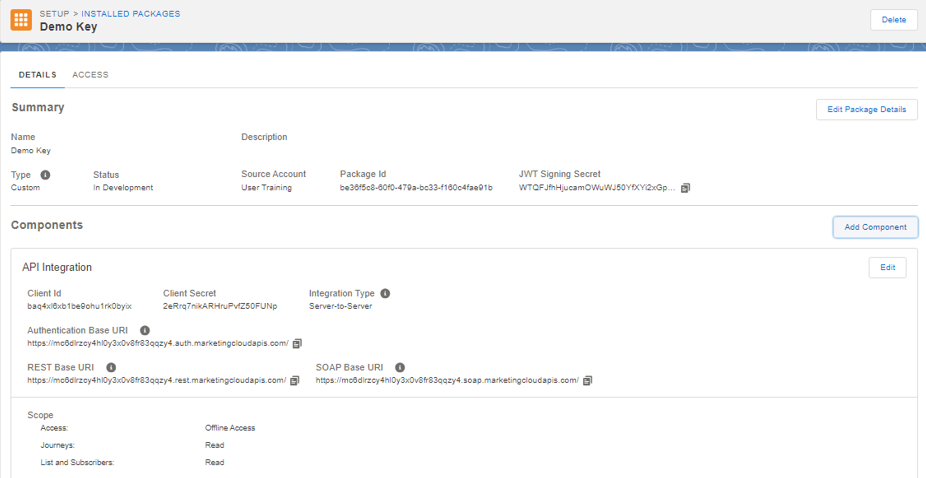
  • Navigate to Installed Packages.
  • Create a New Package.
  • Within the created package, click “Add Component.”
  • Choose “API Integration” as the component type.
  • Select “Server-to-Server” integration.
  • Select relevant scopes like “Interactions – Events” and “Contacts – List and Subscribers – Read.”
  • Retrieve the generated Client ID and Client Secret for authentication.
Demo key

Using Postman to Trigger the Journey:

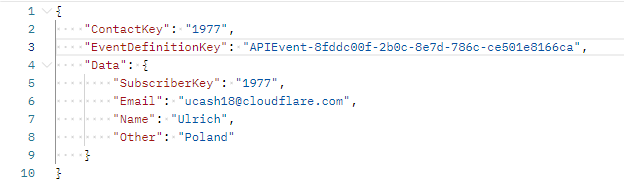
In the request body include:

  • ContactKey: same as the subscriber key.
  • EventDefinitionKey: is the event definition ID of the journey entry event.
  • Data: Include the data fields and values as per your data extension schema.

Send the Request to execute the API call.

Request body

Verification:

Check the journey entry results to confirm that subscribers are entering the journey as expected. Additionally, inspect the data extension to ensure that the desired information is being captured.

Conclusion:

Implementing the Journey Builder API Entry Event in Salesforce Marketing Cloud opens up new possibilities for automating and personalizing customer journeys. Using tools like Postman the flexibility provided by the API empowers marketers to create seamless and engaging customer experiences.


Leave a Comment

Your email address will not be published. Required fields are marked *

Recent Posts

The Real ROI of Salesforce AI
The Real ROI of Salesforce AI: Where Enterprises Actually See Returns in the First 6 Months
Agentforce Commerce: How AI Is Redefining the Future of Shopping
Agentforce Commerce: The Future of AI-Driven Shopping Is Here — And It’s About to Redefine How Brands Sell
Manufacturers Lead in Salesforce AI Adoption
Why US Midwest Manufacturers Are Adopting Salesforce AI Faster Than the Coasts
Salesforce eVerse Explained
Why Salesforce’s eVerse is a Game-Changer — and what it means when choosing your Salesforce Partner
Salesforce Screen Flow and Apex Purpose
Efficient Lead Conversion Using  Salesforce Screen Flow and Apex Purpose
Scroll to Top