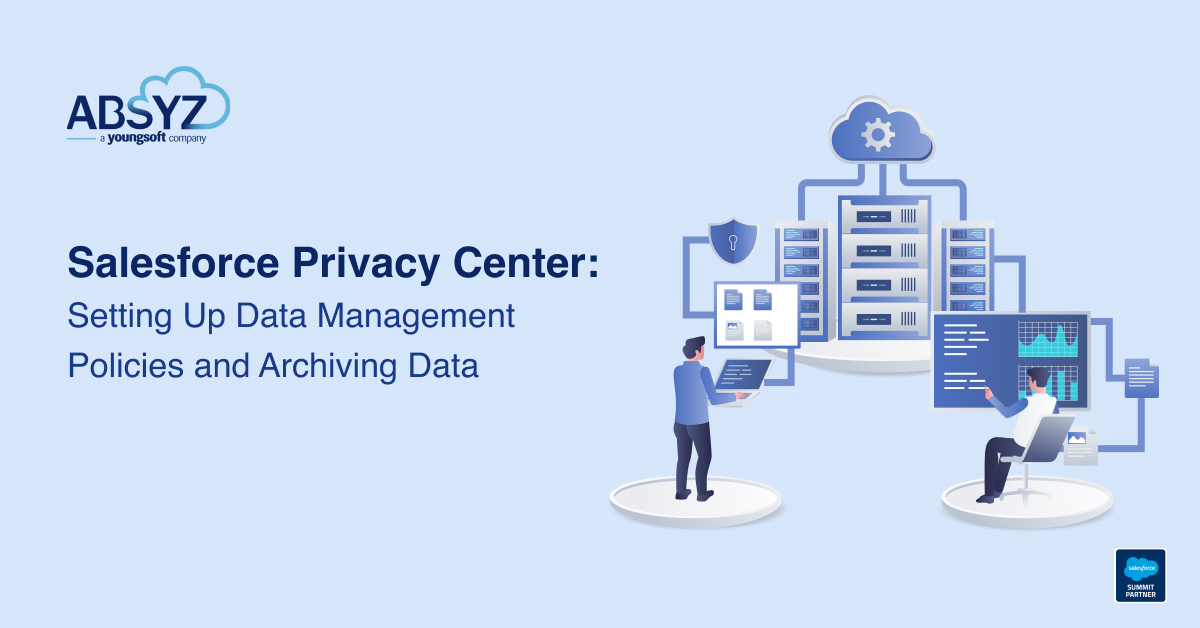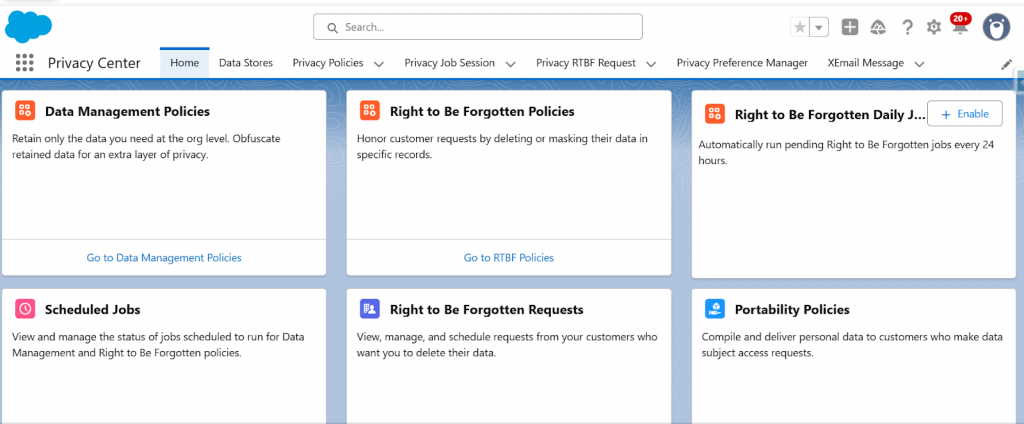


Salesforce Privacy Center provides a native framework for managing data lifecycle, enforcing retention controls, and supporting privacy-driven governance strategies. One of its key capabilities is the Data Management Policy, which allows administrators to identify records, archive them into Privacy Center, and apply actions such as deletion or masking within the Salesforce org.
If your enterprise Salesforce org is pushing against storage limits and historical data is piling up, Salesforce Privacy Center offers a smart way to regain control. Beyond compliance, it works as a powerful archival tool helping you move inactive records out of production, protect sensitive customer data rather than endlessly expanding storage (big data) or building complex workarounds
From a cost perspective, licensing is typically positioned at around 15% of net Salesforce spend, making it a strategic investment for companies prioritizing scalable, privacy-driven data management within Salesforce ecosystems.
This guide outlines the configuration flow in a structured, procedural manner suitable for implementation reference.
Once prerequisites are satisfied, policy configuration can begin.
Step 1 – Navigate to Privacy Policies
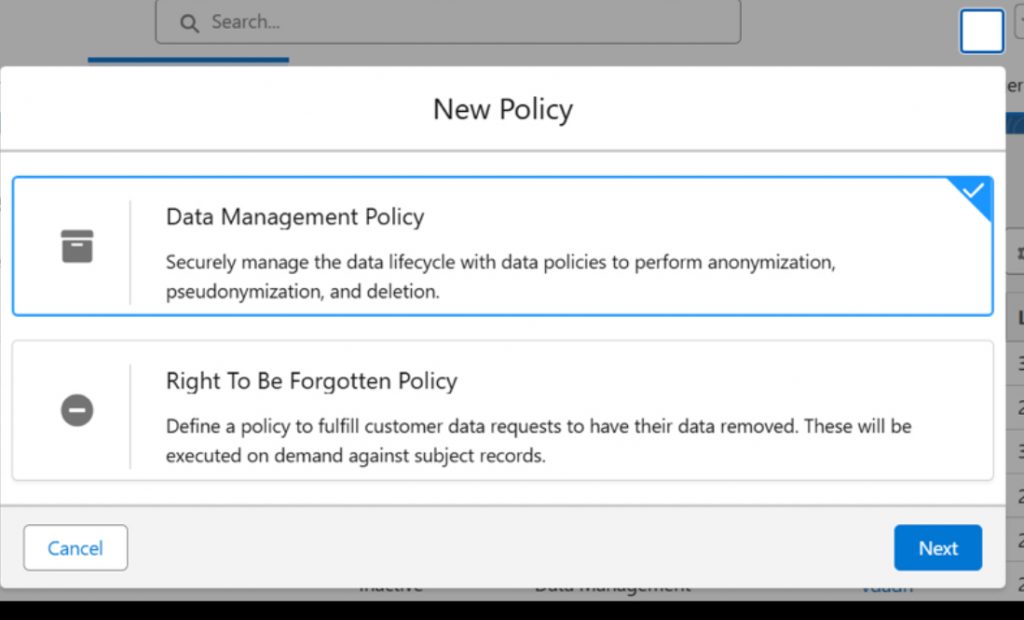
Open the Privacy Center Console and select the Privacy Policies tab. Initiate policy creation by clicking New and selecting the Data Management policy type. This policy category governs record filtering, transformation logic, and archival behavior.
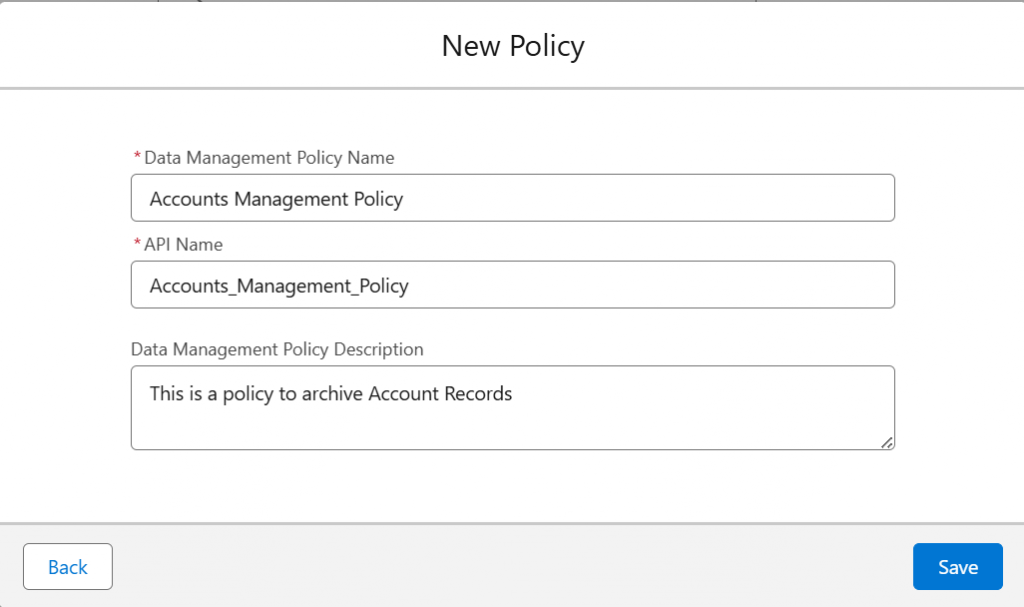
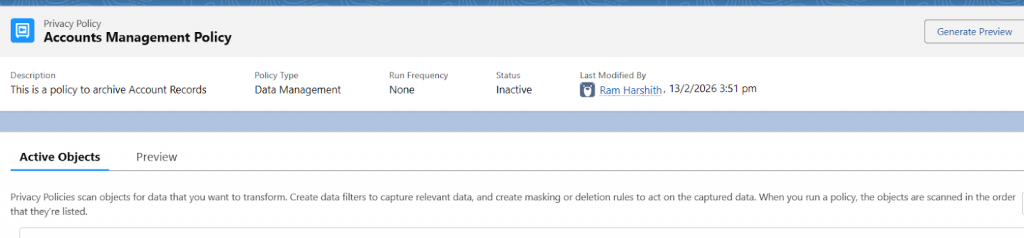
Step 2 : Define Policy Details
Provide a policy name and, where applicable, a description to document policy intent. Policies typically remain unpublished during configuration to allow validation prior to activation.
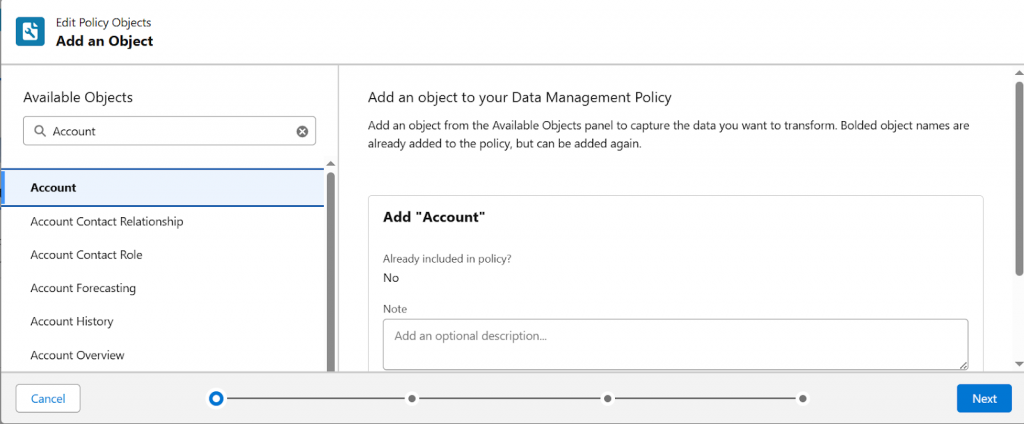
Step 3 : Select Active Objects
Choose the objects that the policy evaluates. Object selection strictly defines policy scope. Common examples include Account, Case, custom objects, or consent-related objects.
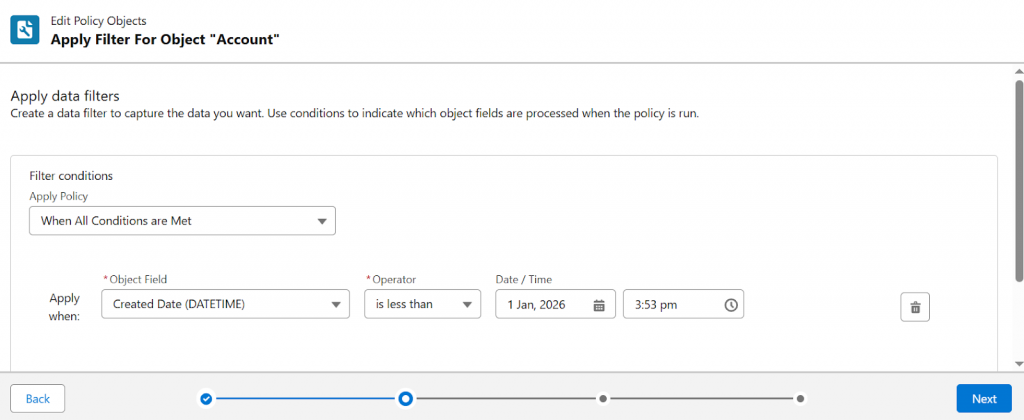
Step 4 : Apply Data Filters
Define filter conditions to determine which records qualify for processing. For example, a filter may restrict evaluation to records created before a specified date-time value.
Example condition:
CreatedDate < 2025-02-16T09:30:00.000Z
Only records satisfying the defined conditions are processed. Filters may reference field values, parent relationships, or cross-object criteria.
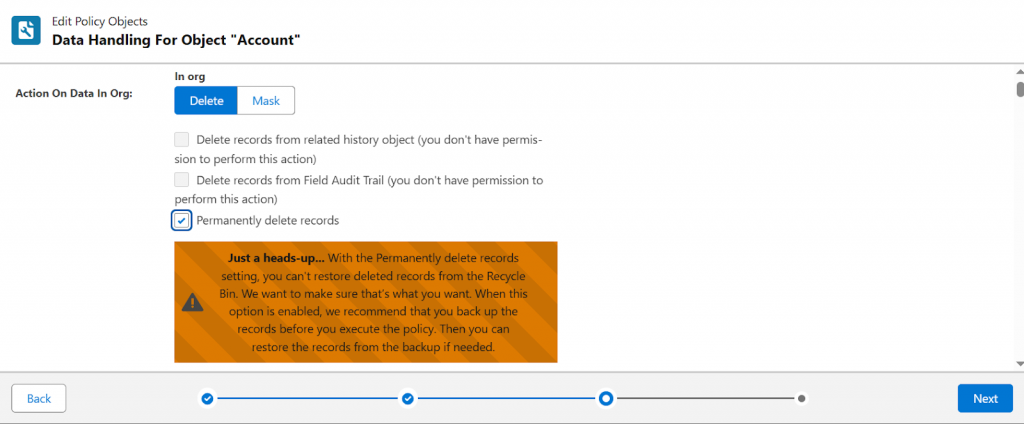
Step 5 : Configure Actions on Data in Org
Specify how Salesforce should handle qualifying records within the org. Available actions include deletion, masking, or permanent deletion.
A common configuration pattern involves archiving records into Privacy Center followed by deletion from the org. This approach supports data minimization and retention enforcement objectives.
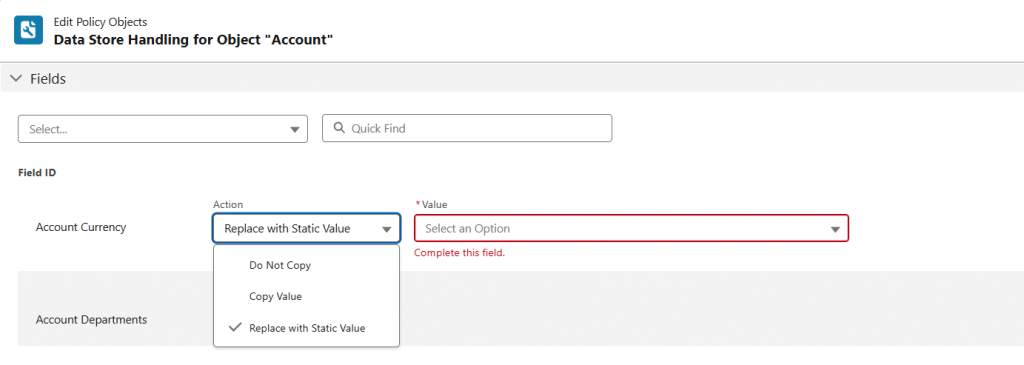
Step 6 : Define Field-Level Transformation Rules
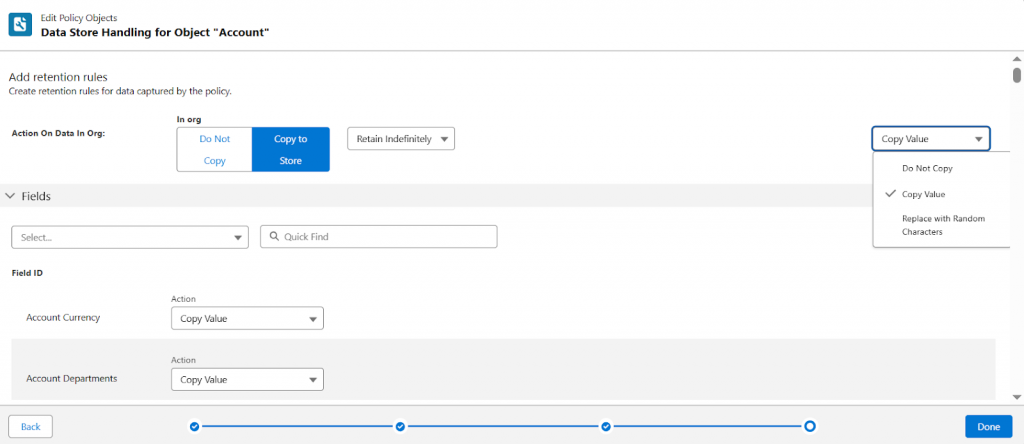
Configure how individual fields are handled when records are archived. Field behavior options typically include copying values, excluding fields, replacing values with random characters, or applying static substitutions.
These rules allow sensitive data elements to be controlled independently of record selection logic.
Scenario: “Related To” fields aren’t available for direct use because Salesforce doesn’t expose them as individual fields. This is a current platform limitation, though Salesforce has indicated that support may be added in a future release. Work Around: A practical workaround is to create formula fields that reference the necessary “Related To” values, and use those fields within the archive configuration. In scenarios where a child object is associated with only a small number of parent records (for example, 8–10), another option is to initially use a formula field and later replace it with a dedicated lookup field if the relationship needs to be formalized or expanded. |
Step 7 : Configure Data Store Retention
Define the retention period for archived records. Records may be retained indefinitely or for a defined duration, depending on regulatory and organizational requirements. Step 8 : Run Policy Preview
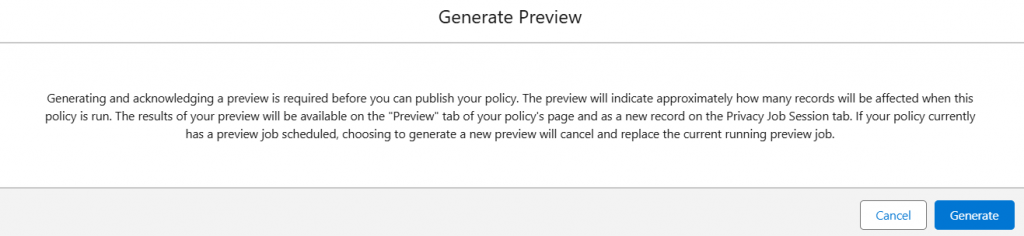
Execute the preview function to validate policy impact. Preview results provide visibility into record counts, filter effectiveness, and transformation outcomes. This step is essential to prevent unintended data operations.
Step 9 : Publish the Policy
After validating preview results, publish the policy. Publication transitions the policy into an active state, allowing Privacy Center to execute the defined logic.
When a published policy is executed, Privacy Center evaluates selected objects, applies filters, copies qualifying records into the Privacy Center storage framework, applies field-level transformations, and performs configured in-org actions.
This sequence ensures that archival precedes deletion or masking operations.
Archived records are accessible through the Privacy Center interface.
Navigate to:
Privacy Center Console → Data Stores
Within Data Stores, administrators can review archived datasets, inspect stored records, and monitor retention configurations. Records displayed in this section represent policy outputs rather than active Salesforce transactional records.
Reports
Report can be created and if child object is archived then it can be seen on related list of parent object
Salesforce Privacy Center Data Management Policies provide a structured mechanism for identifying, transforming, and archiving records in alignment with data governance and privacy requirements. Proper configuration of filters, transformation rules, and retention settings ensures predictable policy behavior and controlled data lifecycle management.
Author: Harshith Uppala