

Hi All,
We can create a custom search engine in salesforce with the help of google. Let’s go in detail to create a custom search engine in salesforce these are the steps needs to follow.
- Need to have a google developer Account
- Create a custom search engine in Google
- Creating a visual Force Page in Salesforce
- Integrating Salesforce with Google to fetch the results.
In this blog, I am creating a custom search engine to return the person details based on the email address. Note: If the email address is linked with linkedIn, Facebook or Google Plus.
To create a google developer account visit this link: https://console.developers.google.com
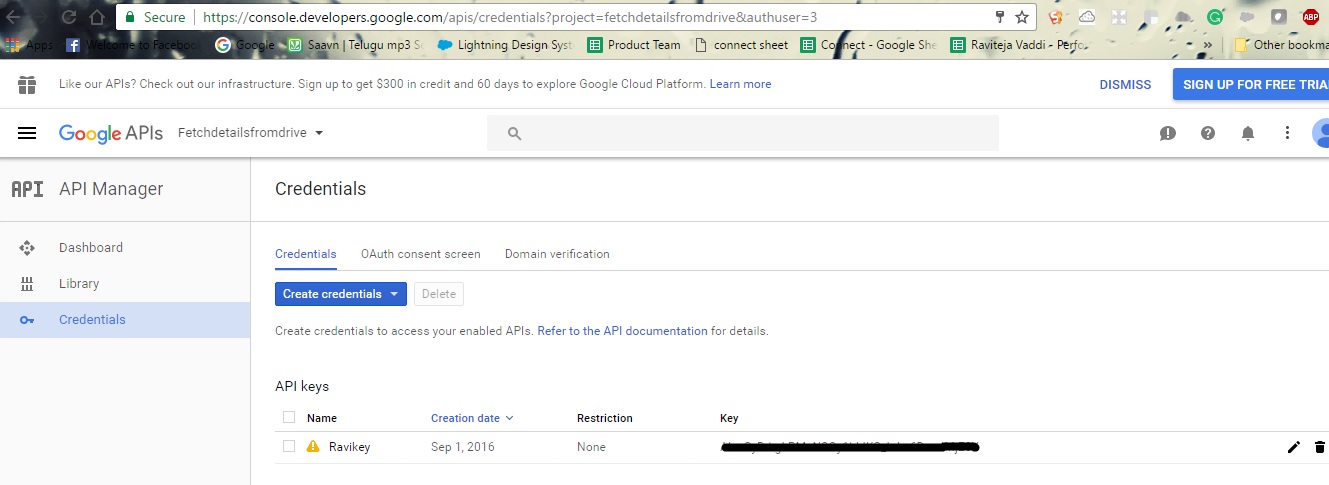
On creation of account then create a project in google and on the creation of project create credentials and then API key will be created. Copy the API Key.
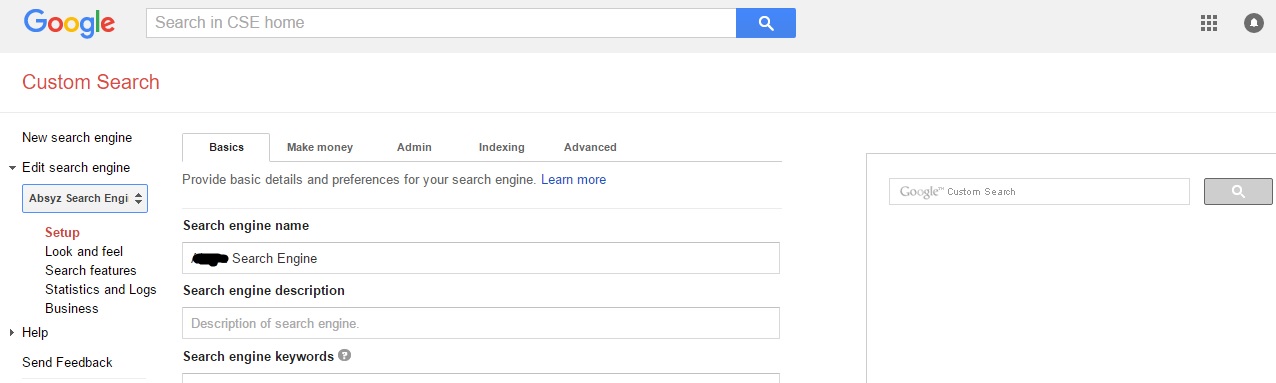
Create a custom search Engine by visiting this link: https://cse.google.com/
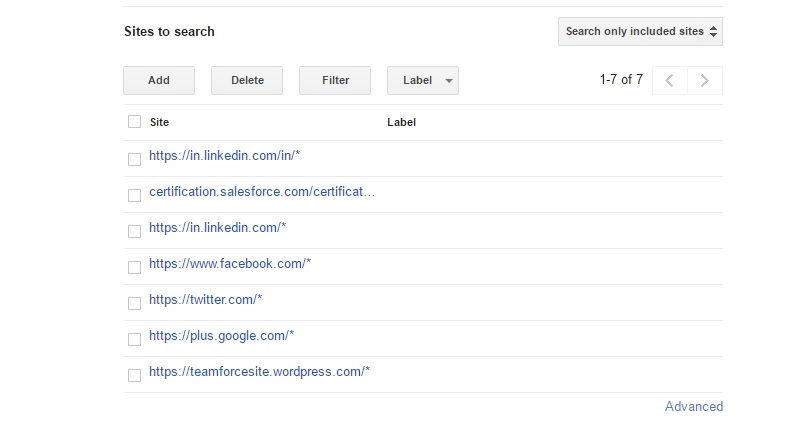
The sites needs to be added so the new custom search engine will search only from the respective sites. Sites add screenshot is shown below.
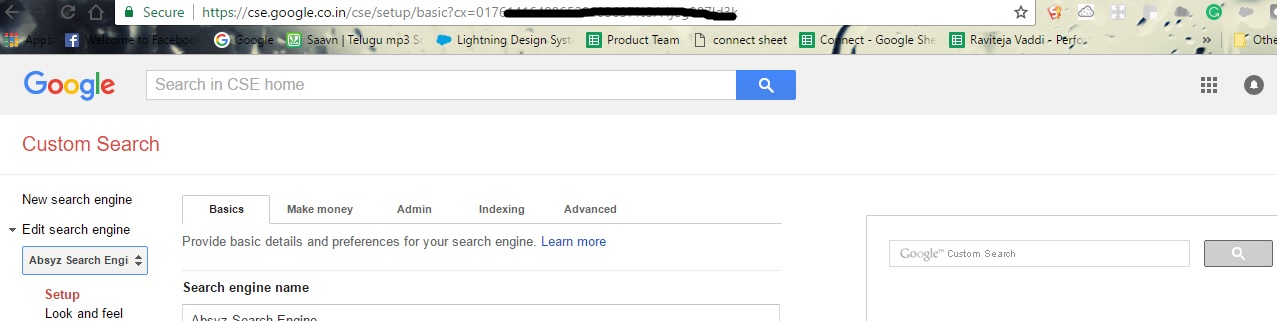
Then create a custom search engine and add the sites to search in your created new custom search engine. On the URL you can see the cx=’017xxxxxx’ so copy the cx parameter.
Then Open your salesforce account create a visual Force Page and Controller with the following code.
The Visual Force Page:
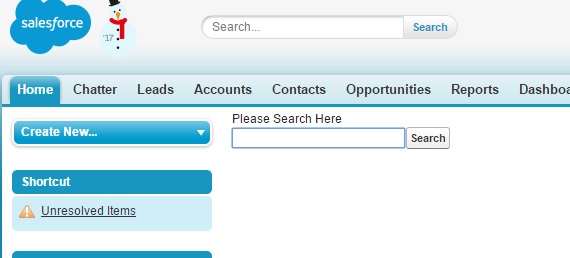
By entering an email address in the page and then you can see the either facebook, googleplus or facebook link.
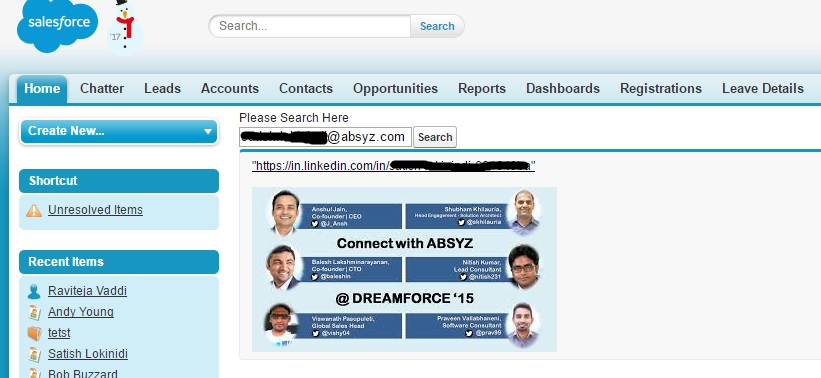
Visual Force Page:
[sourcecode language=”java”]
<apex:page controller=”searchcontroller”>
<h> Please Search Here </h>
<apex:form>
<apex:inputText value=”{!inputstring}”/>
<apex:commandButton action=”{!submit}” value=”Search” />
<apex:pageBlock rendered=”{!check}”>
<apex:commandLink value=”{!laststrurl}” action=”{!open}” target=”_blank” />
<apex:image url=”{!img}” />
</apex:pageBlock>
</apex:form>
</apex:page>
[/sourcecode]
Controller:
[sourcecode language=”java”]
public with sharing class searchcontroller {
public String inputstring {
get;
set;
}
public string img {
get;
set;
}
public string laststrurl {
get;
set;
}
public boolean check {
get;
set;
}
//Api key is used as keyVal
public string keyVal = ‘xxxxxxxxxxxxxxxxxxxxxxxxxxxxxx’;
//cx is used as searchVal
public string searchVal =’xxxxxxxxxxxxxxxxxxxxxxxx’;
public intelligentcontroller() {
check = false;
}
public PageReference submit() {
String strBody;
Http http = new Http();
HttpRequest req = new HttpRequest();
string endurl = ‘https://www.googleapis.com/customsearch/v1?key=’+keyVal +’&cx=’+searchVal +’&q=’ + inputstring;
req.setEndpoint(endurl);
req.setmethod(‘GET’);
try {
HttpResponse res = http.send(req);
strBody= res.getbody();
} catch (exception e) {
system.debug(e);
}
// Below logic is to parse the output
System.debug(strBody);
str.replace(‘n’, ”);
system.debug(‘final’ + strBody);
string substr = strBody.substringBetween(‘”items”: [‘, ‘”cse_image”: [‘);
system.debug(‘substringgggg’ + substr);
if (substr != NULL) {
laststrurl = substr.substringBetween(‘”link”:’, ‘,’);
laststrurl = laststrurl.replace(‘ ‘, ”);
string substrlast = strBody.substringBetween(‘”cse_image”: [‘, ‘]’);
img = substr.substringBetween(‘”src”:’, ‘}’);
img = img.replace(‘ ‘, ”);
img = img.replace(‘”‘, ”);
if (laststrurl != NULL || laststrurl != ”) {
check = true;
} else {
check = false;
}
} else {
substr = strBody.substringBetween(‘”items”: [‘, ‘”pagemap”:’);
if (substr != NULL) {
laststrurl = substr.substringBetween(‘”link”:’, ‘,’);
laststrurl = laststrurl.replace(‘ ‘, ”);
string substrlast = str.substringBetween(‘”cse_image”: [‘, ‘]’);
img = ‘test’;
if (laststrurl != NULL || laststrurl != ”) {
check = true;
} else {
check = false;
}
}
}
return null;
}
public PageReference open() {
PageReference pg = new PageReference(laststrurl);
pg.setRedirect(true);
return pg;
}
}
[/sourcecode]