






The fourth session of the AgentForce League 20/26 introduced game-changing features that are transforming how we build and interact with AI agents. With participants from across India, the webinar covered Financial Services Cloud, the revolutionary new AgentForce Builder with AgentScript, and AgentForce Voice capabilities.
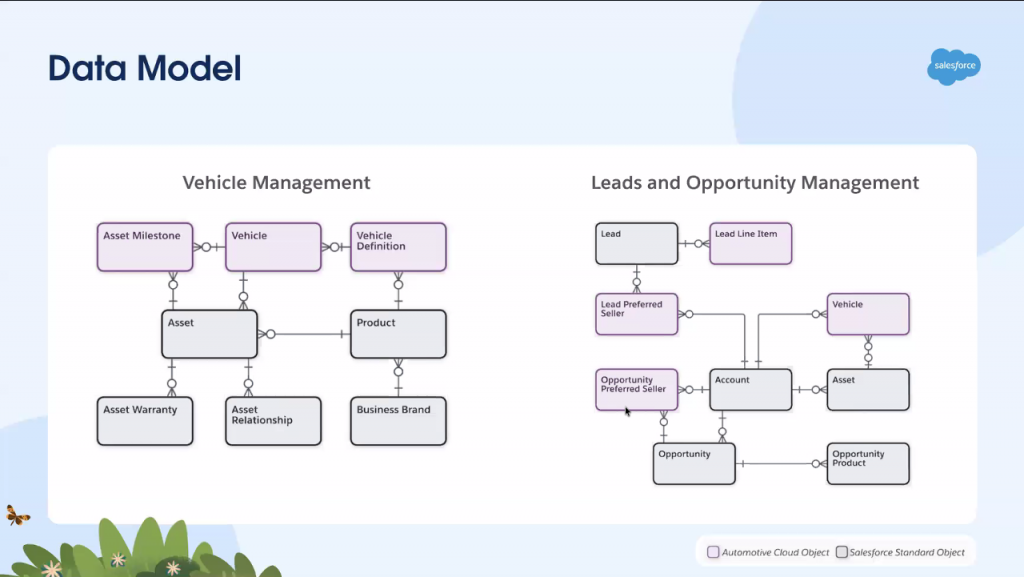
Financial Services Cloud is Salesforce’s comprehensive solution designed specifically for banks and financial institutions. It handles everything from your everyday savings account to complex loan processing and wealth management.
Retail Banking: Manages individual customer accounts, cards, and common requests like address updates or freezing credit cards
Wealth Management: Helps financial advisors track customer goals and suggest personalized investment strategies
Digital Lending: Streamlines loan applications with impressive results—one customer reduced loan processing time from 2 days to just 30 minutes!
Pre-built Workflows: Includes ready-to-use templates for transaction disputes, card freezing, and KYC (Know Your Customer) compliance
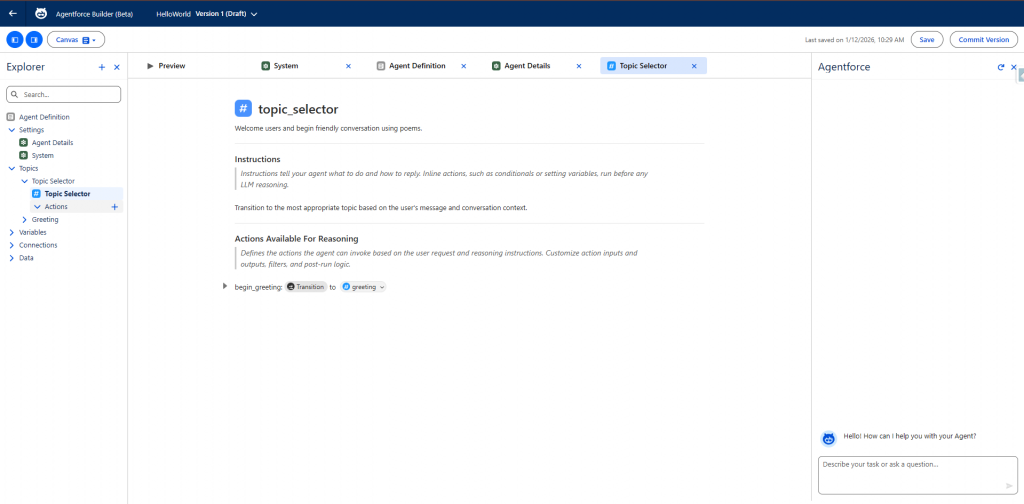
This was the star of the session, and for good reason. The new AgentForce Builder with AgentScript represents a fundamental shift in how we create AI agents.
Important: The new builder has a completely different layout that can be confusing at first. What looks like the conversation preview window is actually the AgentForce Assistant—an AI helper that guides you through building your agent. As the presenter emphasized: “Mind it, this is not your conversation preview. This is not where you’re going to test the agent. This is the place where you’re going to talk to the agent for helping you.”
The actual testing happens in a separate Preview tab. Don’t mix these up—the AgentForce Assistant is for creating agents, while the Preview tab is for testing them.
Traditional agents are “probabilistic“—you write prompts like “always do this” or “never do that,” but you’re never quite sure how the agent will interpret them. AgentScript makes agents more “deterministic,” giving you greater control and confidence in how they behave.
Think of AgentScript as a lightweight language that combines the best of both worlds:
You can still write in plain English (declarative)
But you can also add logic, conditions, and procedures (programmatic)
Everything is organized in simple name-value pairs: name: value
The beauty? You don’t need to be a developer to use it.
“I want to create a simple banking agent”
“What should it do?” → “Check account balance”
“Any actions needed?” → “Retrieve current account balance”
The system automatically generated all the code!
AgentScript organizes everything into easy-to-understand sections called “blocks”:
System Block: Welcome messages, error messages
Config Block: Agent name, settings
Variables Block: Store information the agent needs
Mutable variables: Can be changed by the agent
Linked variables: Only store results from processes
Start Agent Block: Where your agent begins
Topics Block: The actual conversations and logic
Before Topic Logic: Run pre-processing before the agent even starts thinking. For example, fetch account information before the conversation begins.
After Topic Logic: Do post-processing after getting the AI’s response.
This “separation of concerns” makes agents faster because they’re doing less thinking and more doing.
The presenter demonstrated creating a “Hello World” agent that greets users with a poem. The magic happened in the Preview section, where powerful debugging features were revealed:
Revolutionary Debugging Tools:
Timeline View: See exactly how long each step took (in seconds)
Summary View: Get a plain-English explanation of what the agent did
Detailed Inspection: Click on any step to see the exact input, topic selection, and reasoning
Error Highlighting: Failed steps appear in red for easy troubleshooting
Beta Status: The new builder is actively being developed. A patch was deployed during the session week, showing how rapidly it’s evolving
Metadata Type: Agents built with AgentScript use AiAuthoringBundle (different from the old GenAiPlannerBundle)
Access: Launch from App Launcher → search for “AgentForce Studio” (not from Setup)
AgentForce Voice isn’t a separate product—it’s simply another channel where you can deploy your existing agents. Think of it as giving your agent the ability to talk on the phone.
Statistics reveal that 85% of customer interactions happen via phone, not chat. This makes voice capabilities essential for complete customer service automation.
Phone Channel (Generally Available): Agents answer incoming phone calls with ultra-realistic voices
Digital Channel (Coming Soon): Add a microphone button to website chat interfaces
This distinction is crucial:
AgentForce Voice:
Service Cloud Voice:
Think of it this way: AgentForce Voice is the automated receptionist; Service Cloud Voice is the tool human agents use once they pick up the phone.
Resources and Helpful Links
Author: Tejas Jain