Salesforce is a powerhouse of a platform. When first implemented, it feels like a finely tuned engine, streamlining sales pipelines, automating manual customer service workflows, and serving as the single source of truth for your business.
However, Salesforce works best when it is regularly maintained, reviewed, and optimized—just like any other mission-critical business system. As your organization grows, new users are onboarded, custom fields are added, third-party integrations are connected, and new automations are layered on top of legacy processes.
Over time, even the most pristine Salesforce instances can quietly drift out of alignment with your actual business goals.
For mid-sized US organizations, this drift represents a quiet operational crisis. Because mid-market companies must run lean, they cannot afford a CRM that actively slows down their teams, introduces security vulnerabilities, or erodes data integrity.
So, how do you know when your platform is merely experiencing growing pains, and when it is screaming for professional intervention? In this comprehensive guide, we will break down the telltale signs that you need a Salesforce Health Check, explore the critical differences between native self-service tools and professional audits, and outline the exact roadmap to restoring your platform’s maximum ROI.
What Exactly is a Salesforce Health Check?
Before looking at the warning signs, it is important to clear up a common point of confusion.
When people in the Salesforce ecosystem refer to a “Health Check,” they are often speaking about two entirely different things:
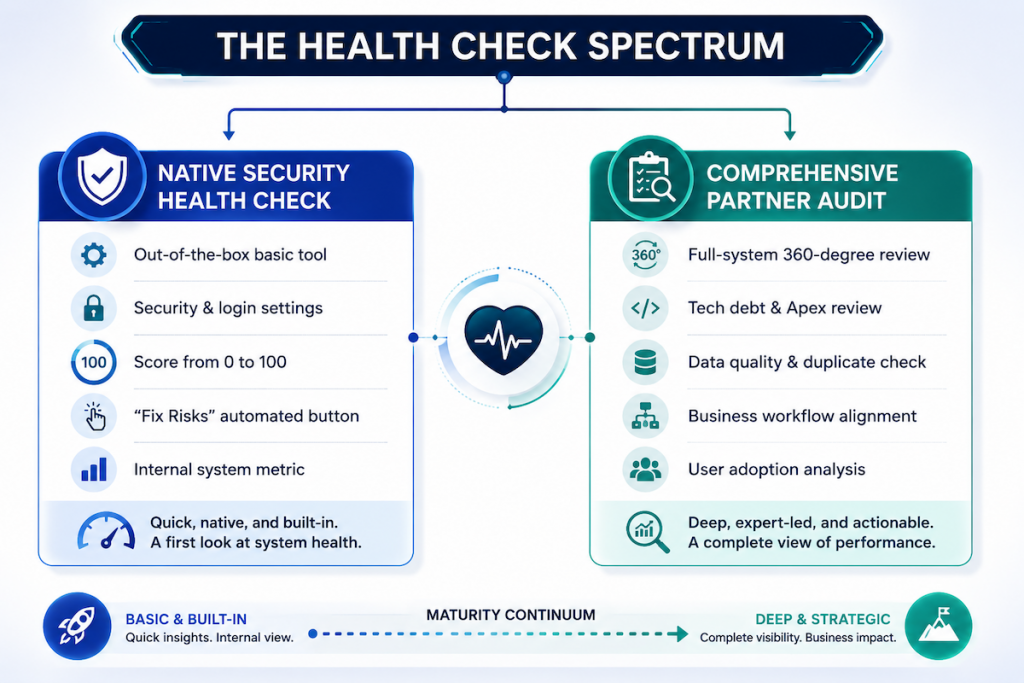
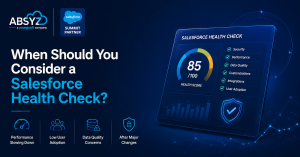
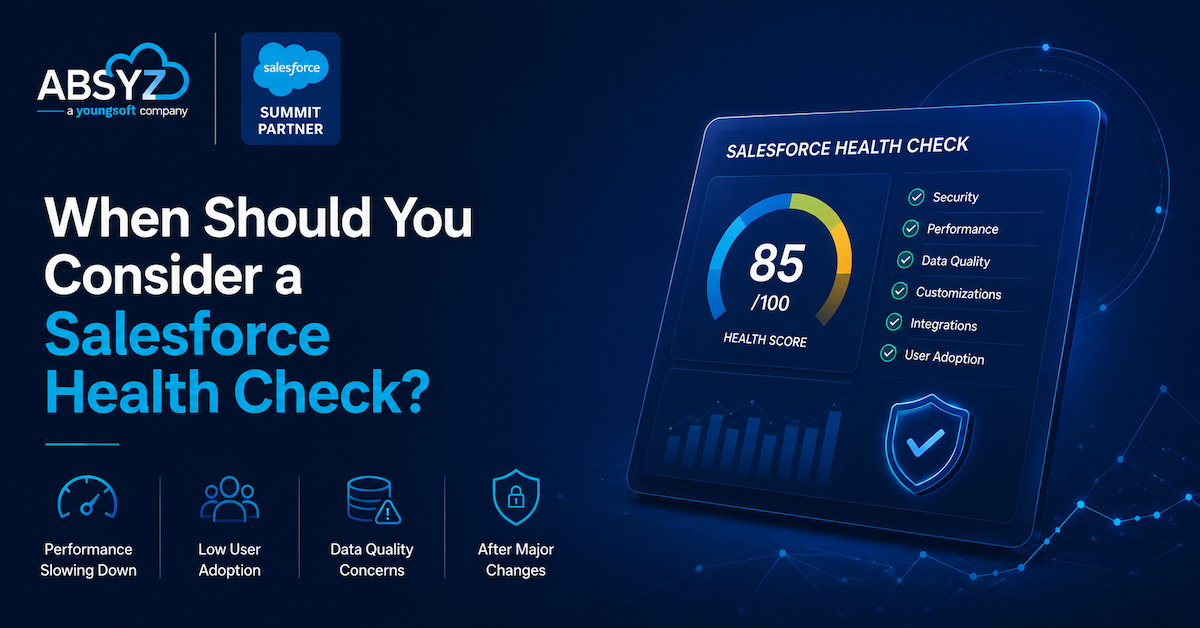
- The Native Salesforce Security Health Check: This is a free, built-in administrative tool available in the setup menu. It strictly analyzes your security settings, such as password complexity, login policies, session settings, and network access, and compares them to the Salesforce recommended baseline, producing a score from 0 to 100.
- A Comprehensive, Partner-Led Salesforce Health Check: This is a thorough, 360-degree audit of your entire Salesforce ecosystem. A certified Salesforce consulting partner performs it and goes far beyond basic security. It evaluates your architecture, custom code, technical debt, automation performance, data cleanliness, integration stability, and user adoption rates.
A high security score is vital, but a secure platform that users hate, runs slowly, and contains inaccurate data is still a failing investment. A professional health check evaluates both technical configuration and operational execution to ensure your CRM actually drives revenue.
7 Warning Signs Your Salesforce Org Needs a Health Check Now
If your mid-sized organization is experiencing any of the following symptoms, your Salesforce instance is a prime candidate for an audit.
1. User Adoption is Plummeting (and “Shadow IT” is Rising)
One of the loudest indicators that your Salesforce org is in trouble is when your team stops using it. If your sales reps, customer service agents, or marketing teams are maintaining parallel records in spreadsheets, note-taking apps, or external tools, your platform is failing to deliver value
- Why it happens: Over-customization can make simple tasks incredibly tedious. If a sales representative has to fill out 45 manual fields just to log a discovery call or move a deal to the next stage, they will naturally bypass the system.
- The Danger: Once your team abandons the CRM, your leadership loses all pipeline visibility, making it impossible to forecast accurately or make data-driven decisions.
2. Noticeable System Latency and Performance Lag
Are your users complaining that records take forever to load? Does saving an opportunity cause the browser screen to spin for 10 or 15 seconds?
- Why it happens: System latency is typically caused by poorly written Apex triggers, inefficient custom code, heavy data volume, or “automation storms”, where multiple Flows, Process Builders, and legacy Workflow Rules are triggered simultaneously by a single edit, conflicting with one another in the background.
- The Danger: Slowness kills productivity and frustrates users. For sales reps and service agents who work at a fast pace, system lag directly reduces their capacity to help customers and close deals.
3. Data Quality Decay & Duplicate Nightmares
If your reporting is inaccurate, your leadership cannot trust the dashboards, and your marketing campaigns are bouncing due to bad email data, you are suffering from data quality decay.
- Why it happens: This occurs when validation rules are not strictly enforced, duplicate rules are turned off or misconfigured, and naming conventions are ignored. Over time, duplicate contacts, stale lead records, and partially populated fields pile up.
- The Danger: Decisions based on corrupted data are incredibly dangerous. If you are a healthcare provider or a business operating in a regulated market, bad data isn’t just an inconvenience; it’s a massive compliance risk.
4. Over-Reliance on Manual Workarounds
If your team is frequently manually exporting data to Excel to run calculations, copying and pasting customer details across platforms, or manually alerting colleagues when a stage changes, you are bypassing the core benefits of automation
- Why it happens: As business models pivot, the original Salesforce workflows may no longer match how your team actually works. Because they don’t know how to update the automations in-house, they resort to manual interventions.
- The Danger: Manual processes invite human error, delay response times, and significantly drive up operational overhead. Studies show that organizations that embrace robust automation enjoy up to a 30% reduction in overall operating costs.
5. Brittle or Failing Integrations
For mid-sized US enterprises, Salesforce acts as a central hub, connecting to external ERPs, billing systems, marketing engines, or specialized electronic health record (EHR) platforms. If these syncs fail, throw errors, or experience massive delays, your platform’s integrity is compromised.
- Why it happens: Legacy API connections, outdated middleware, or hardcoded integration credentials frequently break during Salesforce’s three annual platform updates.
- The Danger: Broken integrations create operational silos. Your finance department might see one invoice status, while your customer support team sees another, leading to highly fragmented customer experiences.
6. Legacy Automation & Apex Code Technical Debt
If your org was built several years ago, it likely still relies on legacy automation tools like Workflow Rules and Process Builder, or on heavy custom Apex code written before Salesforce’s modern Flow capabilities were introduced.
- Why it happens: Salesforce has officially deprecated Workflow Rules and Process Builder in favor of Salesforce Flow. Furthermore, custom Apex code that was never refactored accumulates “technical debt,” slowing down your environment and making it incredibly difficult to implement new features.
- The Danger: Continuing to build on legacy structures makes your system highly unstable. Inactive triggers and redundant automations will eventually crash when Salesforce releases platform updates.
7. Security and Access Creep
When did you last review who has access to what inside your Salesforce instance? “Access creep” occurs when users are granted temporary administrative privileges or broad data visibility profiles that are never revoked.
- Why it happens: Standard system maintenance often takes a backseat to daily fire drills. When a user transitions to a new role, they are granted a new permission set, but their old, powerful profiles remain active.
- The Danger: Unchecked permission sets and over-allocated administrative rights expose your highly sensitive corporate data, trade secrets, and protected customer information to major compliance violations and security risks.
Key Business Milestones That Trigger an Automatic Health Check
Even if your platform seems to be running smoothly, several key organizational transitions require a proactive Salesforce Health Check as a technical prerequisite:
- Before a Major Integration or Platform Migration: If you are preparing to connect an ERP, migrate from Classic to Lightning, or implement advanced Salesforce tools such as Data Cloud or Agentforce, you must audit your org first. Layering advanced AI or data engines on top of messy data and broken automations is a recipe for a costly, failed implementation.
- Following Mergers, Acquisitions, or Business Model Pivots: When companies consolidate, they often try to merge distinct Salesforce orgs or adapt one instance to handle a completely new sales cycle. A strategic health check maps out how to reconcile these differences cleanly.
- A Change in Your Internal Salesforce Admin Team: When a solo administrator or lead developer departs your company, they often leave behind years of undocumented, highly customized work. A professional health check helps the incoming team understand exactly how the system is wired, protecting you against unexpected downtime.
The 6-Month Review Checklist: What a Health Check Evaluates
To keep your CRM operating at peak performance, a comprehensive health check should be executed every 6 to 12 months. A professional assessment will systematically review these 8 critical domains:
Why Mid-Sized Businesses Need a Salesforce Consulting Partner for a Health Check
When faced with system issues, many mid-sized organizations look to their internal IT team or a solo Salesforce Administrator to conduct the audit. While internal teams are excellent at handling daily administration, relying on them for a comprehensive health check often has major limitations:
- The Lack of “Fresh Eyes”: An internal admin who built the system is often too close to the architecture to see its fundamental flaws. They may have normalized inefficient workarounds or complex processes because they are used to them.
- Daily Firefighting: Internal admins are usually too busy resolving user login issues, building basic reports, and creating new fields to dedicate 40+ hours of focused time to a deep-system audit.
- Specialized Architecture Skills: A comprehensive health check requires a diverse range of skills—from certified technical architects who can read custom Apex code, to integration experts fluent in APIs, to business analysts who understand operational workflows. Mid-sized companies rarely have this full roster of specialized talent in-house.
The Value of an Expert Partner-Led Assessment
By engaging a certified Salesforce consulting partner, your organization secures:
- Unbiased, Objective Analysis: A partner brings best-practice insights gathered from hundreds of successful implementations across diverse industries. They evaluate your system objectively, without internal political bias.
- A Prioritized, Actionable Roadmap: A health check should never result in a generic, 100-page list of minor technical details. A certified partner prioritizes findings into a strategic roadmap, distinguishing between critical, high-impact fixes (e.g., security vulnerabilities or broken automations) and low-priority enhancements.
- Strategic Platform Alignment: Beyond technical fixes, a partner aligns your Salesforce instance with your long-term business goals, helping you build a scalable foundation for future technologies like generative AI and Agentforce.
Conclusion
Your Salesforce environment is the operational heartbeat of your organization. When your business is healthy, your teams collaborate effortlessly, your customers receive flawless experiences, and your business moves quickly. But when it is neglected, technical debt accumulates, data decays, and your substantial software investment quietly goes to waste.
A Salesforce Health Check is not a sign of failure; it is a proactive strategy to secure your investment, reduce system overhead, and unlock massive room for growth.
If your team is struggling with system slowness, reporting inaccuracies, or low user adoption, the time to act is now. Reach out to a certified Salesforce consulting partner today to schedule a comprehensive health check, restore platform trust, and prime your CRM for the next generation of digital transformation.