

Salesforce automation has become more scalable and easier to manage, with Flow Builder now the primary automation tool. Legacy tools like Workflow Rules and Process Builder are being phased out in favour of Flows, which allow more control and efficiency. This is not just a platform change but a more innovative way to build long-lasting automation. To support this shift, Salesforce provides the Migrate to Flow tool, which helps move existing Workflow Rules and Process Builder logic into Flows while keeping current business logic intact.
Migrating from Workflow Rules & Process Builder to Flow Builder can be effective if the transition is well organised. There are approximately 6 main steps in the process described below.
Identify and document all active Workflow Rules and Process Builders, then rank them by complexity, dependencies, and business impact to decide the migration order and required effort.
Review existing automations in detail to identify overlaps and redundancies, consolidate where possible, and define a structured migration process aligned with the Salesforce release schedule.
After planning, simple Workflow Rules can be auto-migrated using the Migrate to Flow tool, while complex or highly customised processes are rebuilt manually in Flow Builder and merged where appropriate.
Test all migrated Flows thoroughly with unit and regression testing, and include business users in UAT to confirm the automation meets functional and business requirements.
After successful testing, deploy the new Flows using best practices, retire legacy automation to avoid conflicts, and monitor system behaviour to ensure stability and identify opportunities for improvement.
Complete detailed Flow documentation and knowledge transfer so admins and developers can easily maintain, upgrade, and troubleshoot automation in the future.
Salesforce has implemented a phased retirement strategy for Process Builders and Workflow Rules:
Release | Key Event |
Winter ’23 | No new Workflow Rules/Process Builders in new orgs |
Spring ’23 – Winter ’24 | “Migrate to Flow” tool released |
Winter ’24 (Oct 2023) | Workflow/Process creation disabled |
Summer ’25 (June 2025) | Editing is turned off in existing orgs |
Post-2025 (TBD) | Runtime execution has fully retired |
Why Act Early
Early action on the move to Flow Builder helps organisations avoid unnecessary pressure and be ready for future platform changes.
To make this clearer, a simple example will demonstrate migrating a Workflow Rule to Flow using the Migrate to Flow tool, showing what to do and what to avoid.
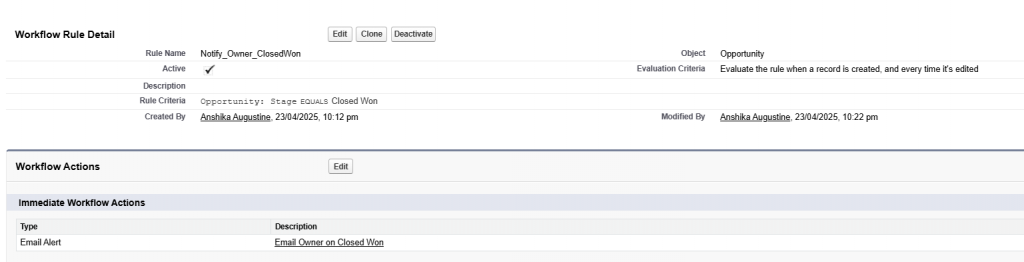
Condition: When Opportunity is marked Closed Won
Action: Send an email alert to Opportunity Owner
Example Use Case:
Now, let’s take a glance at the example of using the “Migrate to Flow” tool to transform a simple workflow into Flow.
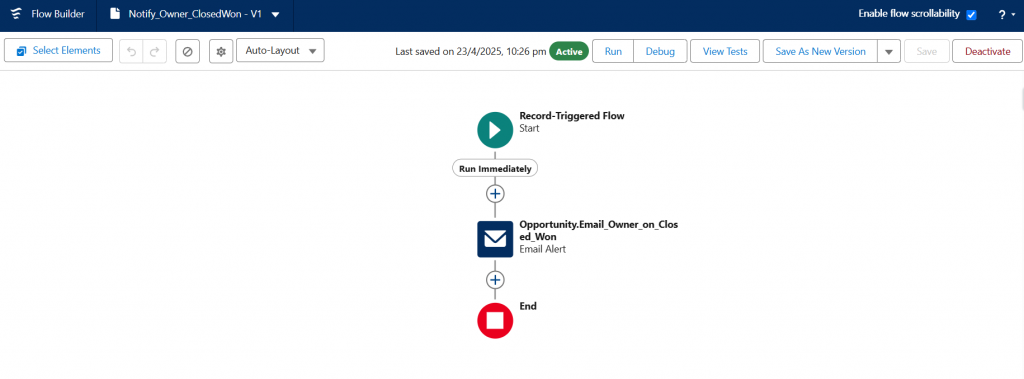
When an opportunity becomes a closed won, the current workflow rule will notify the opportunity owner via email.
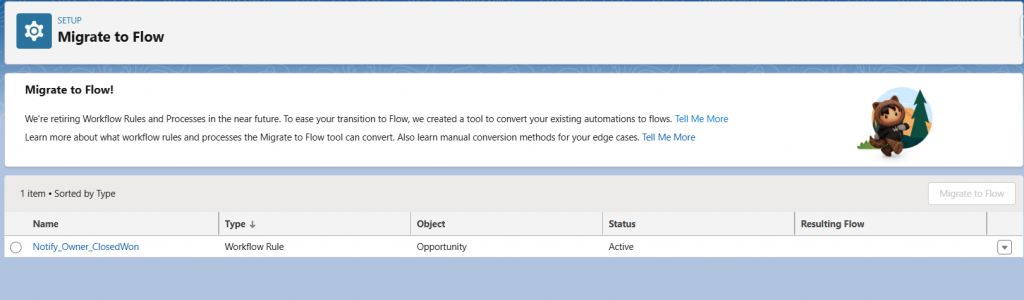
Go to setup – QuickFind – Migrate to Flow. There, you will see the list of workflow rules/ process builders in your org.
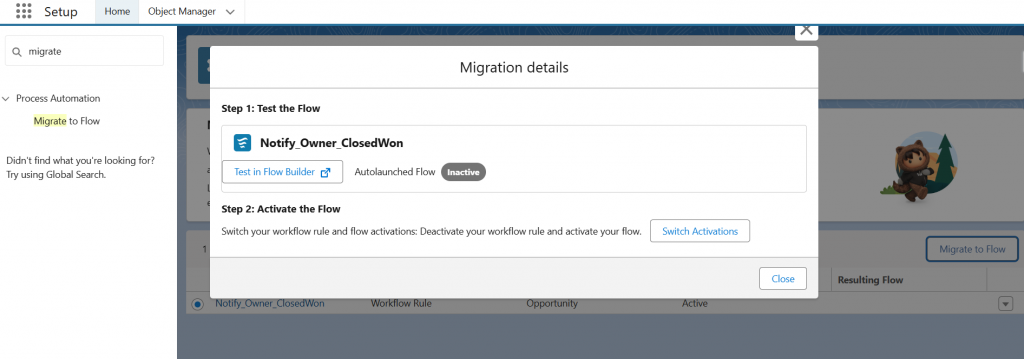
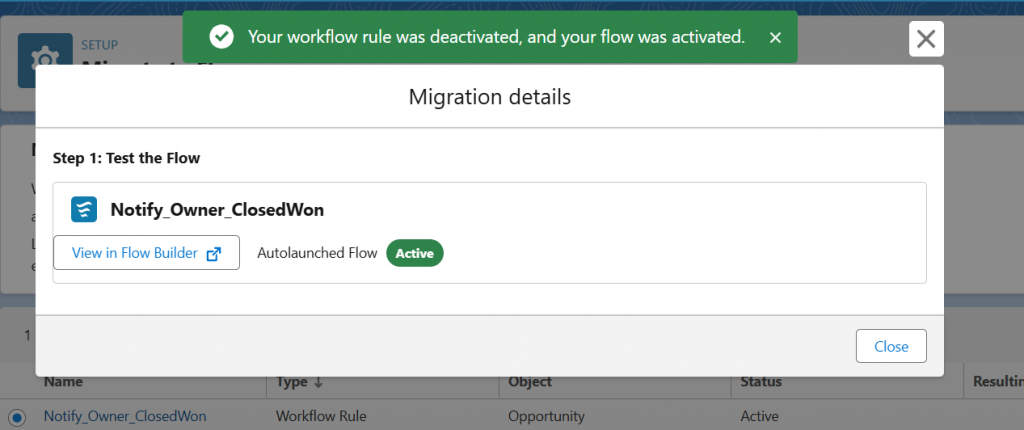
You can test the flow in the flow builder after selecting the rule and clicking the Migrate to Flow button, which automatically creates the flow.
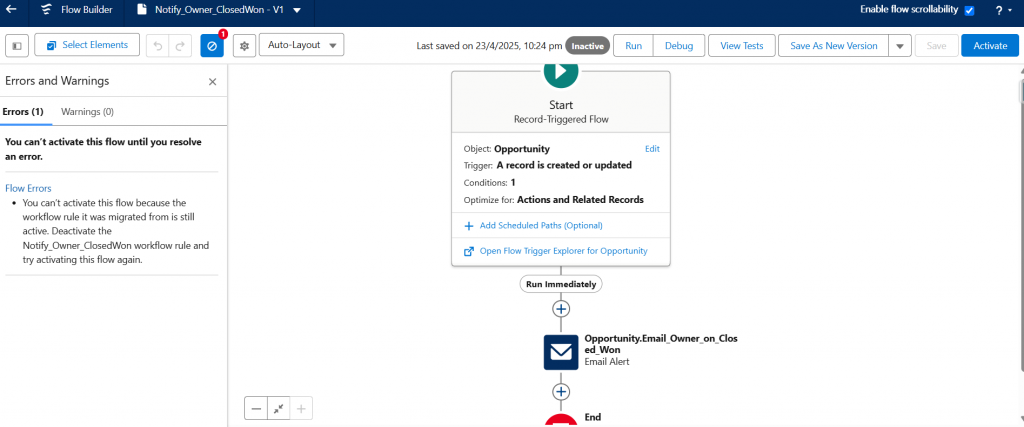
You can activate the flow only after deactivating the workflow rule.
After successfully activating the flow, proceed with testing and debugging to ensure the functionality works correctly.
Handling the migration to Flow Builder has revealed that a structured approach to doing things facilitates the entire process. Some best practices have been helpful in this regard.
Create a simple spreadsheet listing existing automation by object name, criteria, actions, and expected results to easily identify logical duplication and ensure a cleaner migration process.
Starting with a simple object and flexible rules provides a safe, clean starting point, where the first migration acts as a testing phase before refining the approach and extending it to more complex objects.
Choosing the right Flow type is crucial: use Fast Field Updates for updating the same record, After Save Flows for creating related records or sending emails, and clear entry conditions to ensure optimal performance.
Clear Flow element descriptions and version history make updates and troubleshooting easier, while proper documentation keeps the logic understandable for future admins and developers.
Comprehensive testing is essential: unit testing validates individual components, regression testing ensures end-to-end behaviour, and documented test data supports UAT and audit needs.
At ABSYZ, we have successfully completed migrations for the identified projects, delivering the following benefits:
By moving to Salesforce Flow Builder, we can update, improve, and future-proof my automations. The Salesforce Migration Tool (Migrate to Flow) assists us in this process by helping in the following ways:
Author: Sushma DNraju